
Staff Timesheet Management Software
Track staff hours, manage shift assignments, and generate attendance-linked payroll inputs, giving HR and finance a single source of truth without manual consolidation.
Staff Timesheet Management Software Benefits
Payroll That Closes on Time Without the Thursday Panic
When timesheet data arrives validated, approved, categorized, and ready for processing before the deadline, your payroll team closes pay runs in hours instead of days.
- Automated deadline reminders sent to staff at 48-hour, 24-hour, 4-hour, and 2-hour intervals before the submission cutoff
- Supervisor approval dashboard shows every pending timesheet with one-click approve or reject-with-comment
- Approved hours flow directly into payroll calculations with no manual re-entry or spreadsheet transfer
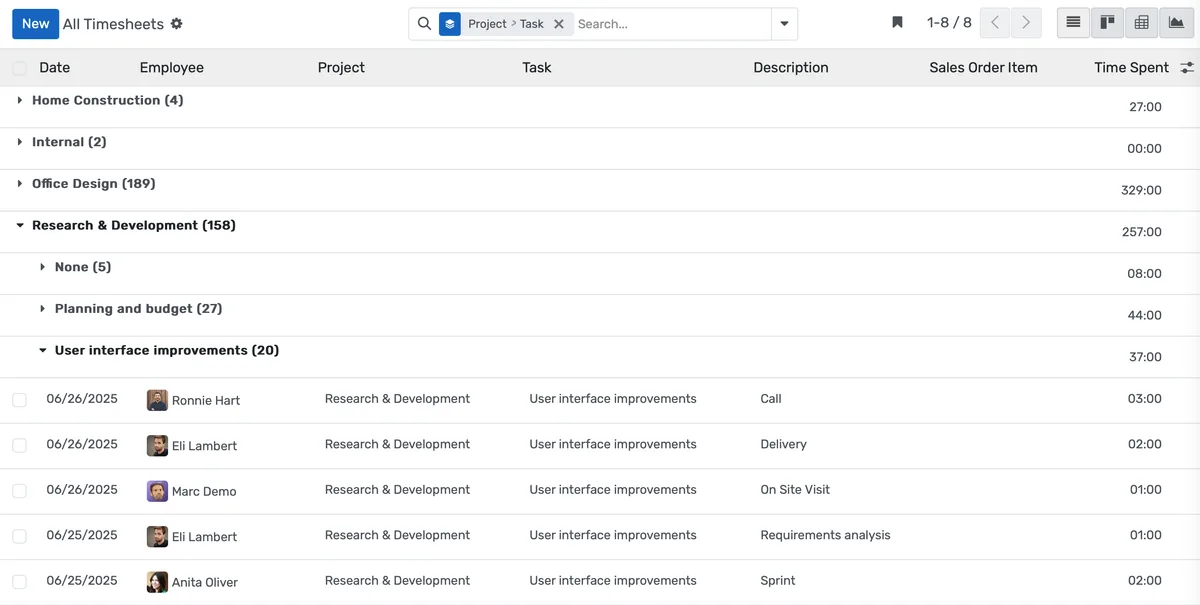
Grant Compliance That Survives an Audit
Federal and state grants require documented proof of how staff time was allocated. OpenEduCat links every hour to a specific project code, making audit preparation a report pull instead of a reconstruction project.
- Staff tag each time entry to a grant code, department, internal project, or activity type from a controlled list you define
- Budget-vs-actual reports compare logged hours against grant allocations in real time
- Audit trail records every entry, edit, approval, and rejection with timestamps and user attribution
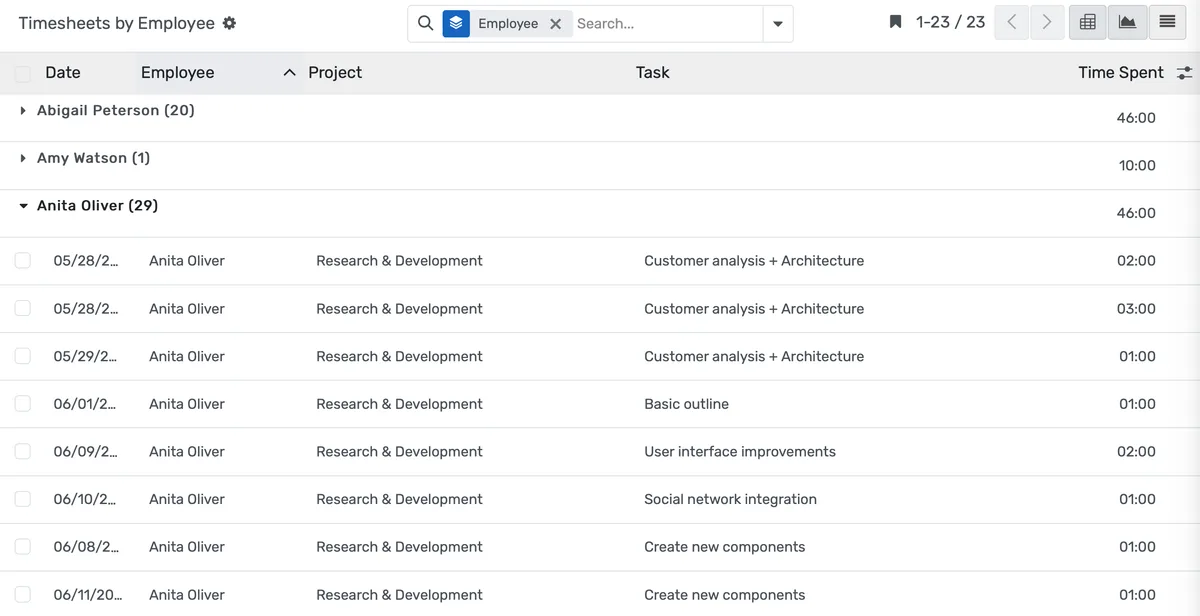
Labor Cost Visibility That Used to Take Nine Days. Now Takes Nine Seconds
When your provost or CFO asks what the English department spent on adjunct labor last quarter, you should not need a week to answer.
- Real-time dashboards show labor costs by department, employee type, project, or pay period
- Compare actual hours worked against budgeted hours with variance highlighting
- Filter reports by full-time, part-time, adjunct, grant-funded, or any custom employee category
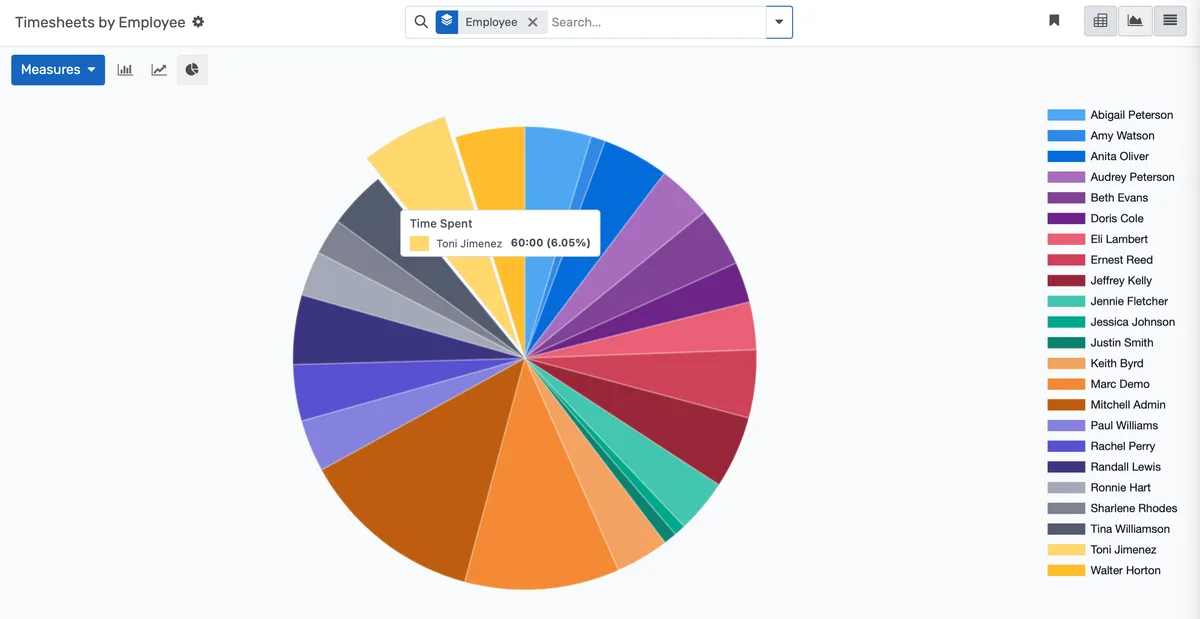
Fonctionnalités : Staff Timesheet Management Software
Tout ce dont vous avez besoin pour gérer efficacement staff timesheet management software
Core Management
Essential staff timesheet management management capabilities
Student Portal
Self-service portal for students to access information
Basic Reporting
Standard reports and data export functionality
Role-Based Access
Configure user permissions and access levels
Advanced Analytics
Detailed staff timesheet management analytics with custom report builder and data visualization
Workflow Automation
Configure automated rules for approvals, notifications, and status transitions
Audit Trail
Complete audit logging of all staff timesheet management activities for compliance and accountability
Priority Support
Dedicated support team with SLA-backed response times
Foire aux questions
Réponses aux questions courantes sur Staff Timesheet Management Software
Yes. You can configure hourly staff to use daily time logs, adjuncts to submit weekly grids, grant-funded researchers to use project-coded daily entries, and salaried faculty to log overload hours separately. Each employee category sees only the entry method and project codes relevant to their role. The system validates entries against the rules you set for each category before allowing submission.
Conçu pour votre type d'établissement
Découvrez comment cette fonctionnalité fonctionne pour votre établissement spécifique
Intégrations, comparatifs et outils
Étendez Staff Timesheet Management Software avec des intégrations, comparez-nous et calculez votre ROI
Fonctionnalités associées

Admission Management
Student registration software that handles online applications, automated reviews, merit lists, and enrollment conversion. Your admissions office processes more registrations with fewer staff hours and fewer errors.

Student Management
Student information system software that keeps every record (academics, health, contacts, documents) in one place. SIS for K-12 schools and universities that gives staff accurate student data instantly and makes reporting effortless.

Course Management
Effortlessly create, organize, and manage courses with a user-friendly platform that streamlines content delivery, tracks progress, and enhances the learning experience for students and educators.

Financial Management
Set up fee structures once, auto-generate invoices at enrollment, accept payments via cash, bank, or online gateways, apply discounts automatically, and reconcile seamlessly - speeding up book closure with fewer errors and calls.

Examination System
Schedule hundreds of exams across multiple rooms without conflicts, generate student hall tickets, and publish verified results in days providing exam controllers smooth logistics and registrars audit-ready records efficiently.

Faculty Management
Manage faculty profiles, balance workloads, coordinate substitutions, track credentials, and conduct performance reviews, freeing department heads from administrative tasks to focus on supporting and empowering teaching staff effectively.
Plus de fonctionnalités Daily Operations
Explorez d'autres fonctionnalités dans cette catégorie
Prêt à transformer votre Staff Timesheet Management Software ?
Découvrez comment OpenEduCat libère du temps pour que chaque étudiant reçoive l'attention qu'il mérite.
Essayez gratuitement pendant 15 jours. Aucune carte bancaire requise.