
Student Leave Management
Simplify student leave requests and approvals with an automated system that tracks absences, notifies teachers and parents, maintains accurate records, and ensures smooth communication reducing administrative workload and improving overall attendance management.
Student Leave Management Benefits
Stop Losing Absence Records Between Phone Calls and Spreadsheets
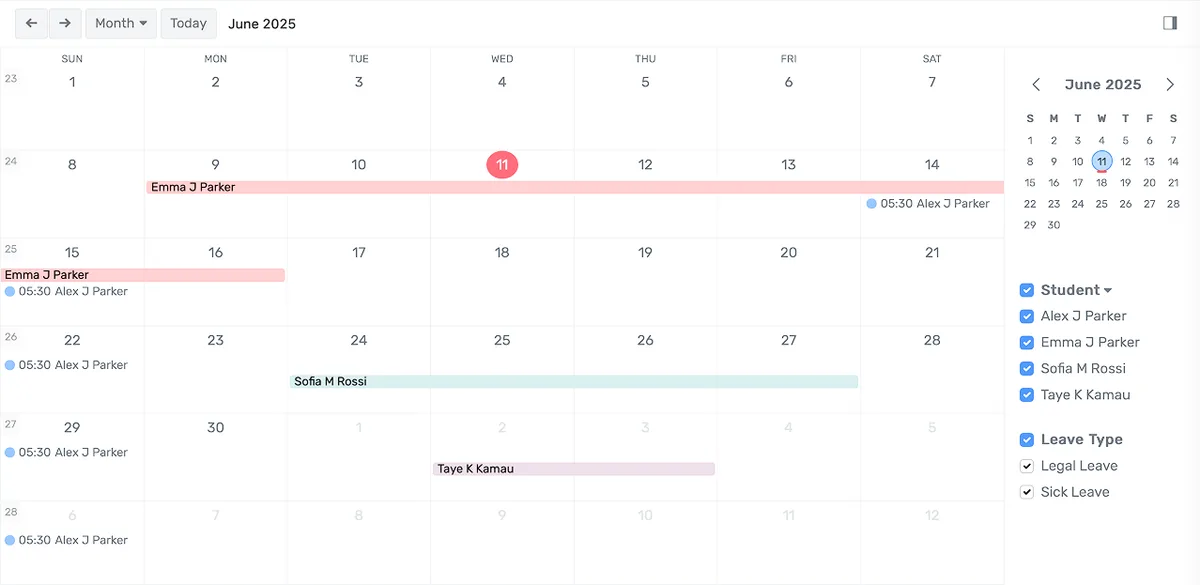
Every leave request lives in one system with a timestamp, a confirmation number, the approver's name, and a full approval trail. No more searching voicemails to settle disputes.
- Parents submit requests through the portal in under two minutes with date selection, reason category, written details, and document upload
- Confirmation numbers go to the parent immediately, ending he-said-she-said disputes about whether a call was made
- Supporting documents like doctor's notes attach directly to the request record and stay there permanently
Get Absences Approved in Hours Instead of Days
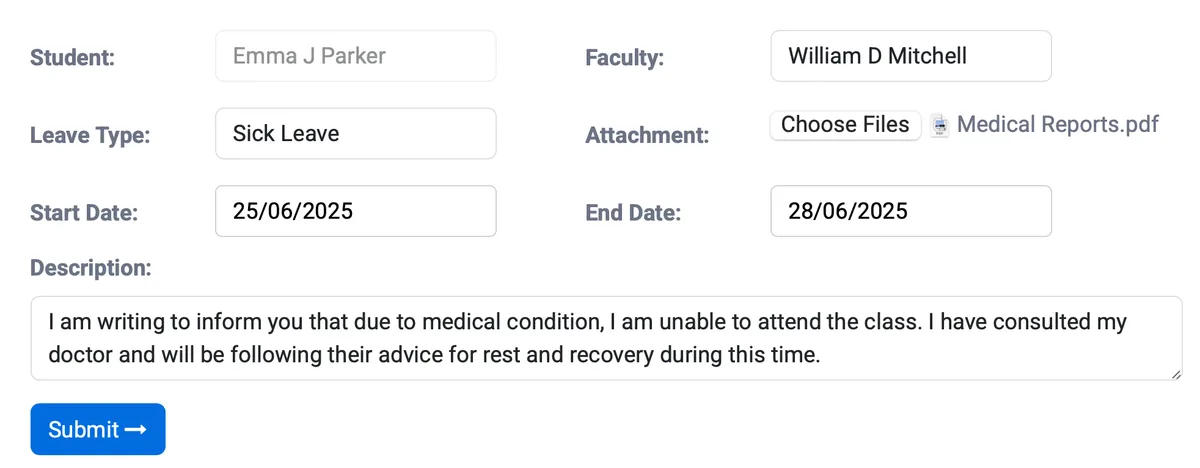
Requests route to the correct approver based on rules you set. A one-day sick note goes to the teacher. A two-week trip goes to administration. Nobody waits in limbo.
- Configurable workflows route requests based on leave type, duration, grade level, and campus
- Approvers see a dashboard of pending requests and act with a single click, approve, deny, request more information, or reassign to another reviewer
- Multi-level chains handle complex cases: homeroom teacher acknowledges, department head reviews, assistant principal verifies documentation, dean gives final approval
Know Exactly Who Will Be Absent Tomorrow, Next Week, Next Month, and Next Semester
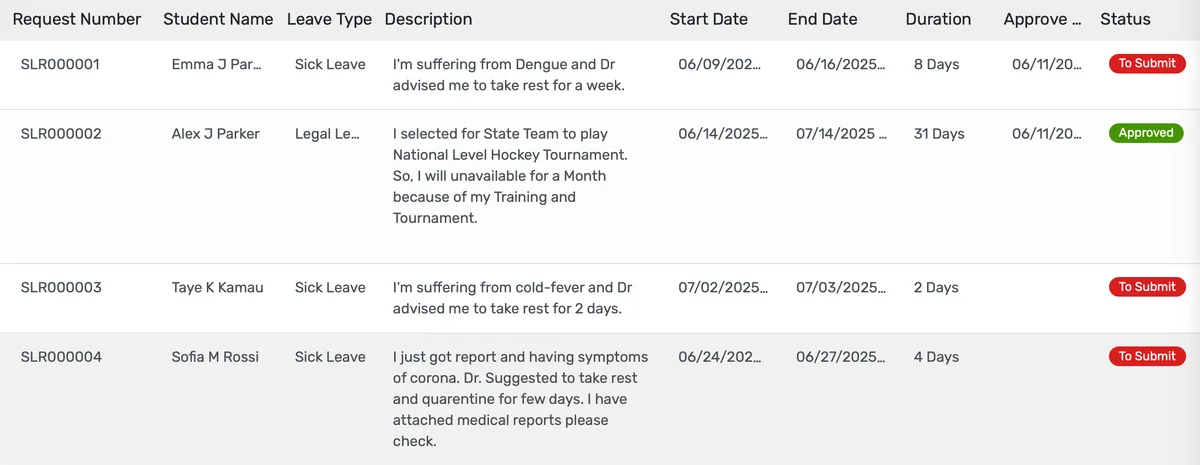
Approved leave dates flow into the attendance system automatically. Teachers see upcoming absences. Administrators see trends. Nobody reconciles spreadsheets.
- Approved leave dates mark students as excused in the attendance module without any manual entry from teachers
- Teachers see which students have approved upcoming absences, so they prepare make-up work in advance
- Leave balance tracking shows how many allowed absence days each student has remaining by category
Student Leave Management Features
Everything you need to manage student leave management effectively
Core Management
Essential student leave management management capabilities
Student Portal
Self-service portal for students to access information
Basic Reporting
Standard reports and data export functionality
Role-Based Access
Configure user permissions and access levels
Advanced Analytics
Detailed student leave management analytics with custom report builder and data visualization
Workflow Automation
Configure automated rules for approvals, notifications, and status transitions
Audit Trail
Complete audit logging of all student leave management activities for compliance and accountability
Priority Support
Dedicated support team with SLA-backed response times
Frequently Asked Questions
Get answers to common questions about Student Leave Management
Yes. The portal accepts same-day requests at any time, including before school hours. When a parent submits a morning sick notification, it routes immediately to the homeroom teacher and front office staff. The teacher sees the absence on their roster before first period, and attendance records update automatically. There is no need for the parent to also call the office. The digital submission serves as the official record with a timestamp and confirmation number.
Built for Your Institution Type
See how this feature works for your specific institution
Integrations, Comparisons & Tools
Extend Student Leave Management with integrations, see how we compare, and calculate your ROI
Related Features

Admission Management
Student registration software that handles online applications, automated reviews, merit lists, and enrollment conversion. Your admissions office processes more registrations with fewer staff hours and fewer errors.

Student Management
Student information system software that keeps every record (academics, health, contacts, documents) in one place. SIS for K-12 schools and universities that gives staff accurate student data instantly and makes reporting effortless.

Course Management
Effortlessly create, organize, and manage courses with a user-friendly platform that streamlines content delivery, tracks progress, and enhances the learning experience for students and educators.

Financial Management
Set up fee structures once, auto-generate invoices at enrollment, accept payments via cash, bank, or online gateways, apply discounts automatically, and reconcile seamlessly - speeding up book closure with fewer errors and calls.

Examination System
Schedule hundreds of exams across multiple rooms without conflicts, generate student hall tickets, and publish verified results in days providing exam controllers smooth logistics and registrars audit-ready records efficiently.

Faculty Management
Manage faculty profiles, balance workloads, coordinate substitutions, track credentials, and conduct performance reviews, freeing department heads from administrative tasks to focus on supporting and empowering teaching staff effectively.
More Daily Operations Features
Explore other features in this category
Ready to Transform Your Student Leave Management?
See how OpenEduCat frees up time so every student gets the attention they deserve.
Try it free for 15 days. No credit card required.