
Helpdesk for Higher Education
Provide fast, organized support for students, faculty, and staff with a centralized helpdesk that manages queries, automates ticket routing, tracks resolutions, and ensures timely, efficient service across campus departments.
Helpdesk & Support Tickets Benefits
Ticket Routing and SLA Management
When every request lands in the same queue with the same priority, critical issues wait behind trivial ones. Structured routing changes what gets resolved first.
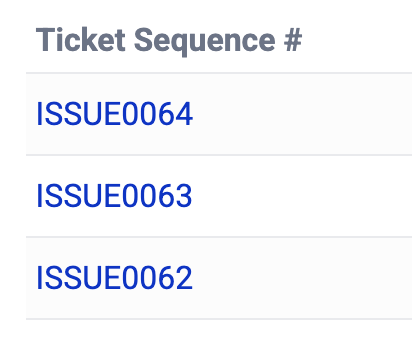
- Automatic assignment routes each ticket to the right team within seconds based on category, campus location, requester type, and current agent workload
- Priority queues separate graduation-blocking holds and critical infrastructure failures from standard password resets, agents work the highest-impact items first without manual triage
- SLA timers start the moment a ticket is created and trigger escalation notifications at configurable thresholds before deadlines are missed
Self-Service Knowledge Base and Ticket Deflection
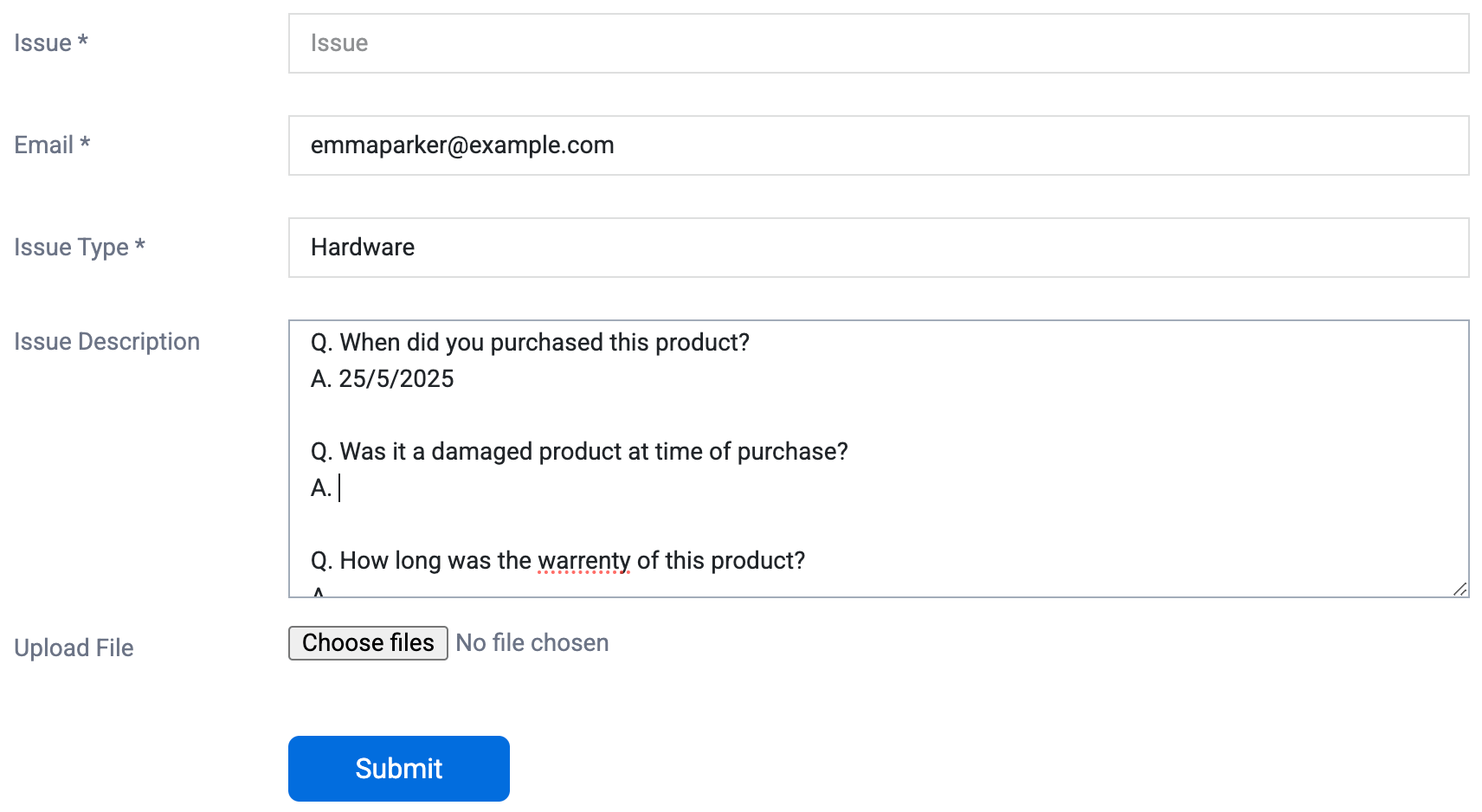
Repetitive questions consume staff time that could go toward complex issues. A searchable knowledge base answers common questions before staff ever see them.
- Students and staff search the knowledge base before submitting a ticket, articles for the top recurring issues reduce ticket volume by 25–35% without adding staff headcount
- Agents convert resolved tickets into knowledge base articles in one step, capturing institutional knowledge before it walks out the door with departing staff
- Article analytics show which topics generate the most views and which searches return no results, identifying gaps in documentation that correlate with high ticket volume
Cross-Departmental Visibility and Service Reporting
Without data, support teams can neither demonstrate their value nor justify staffing requests during peak periods. Reporting closes that gap.
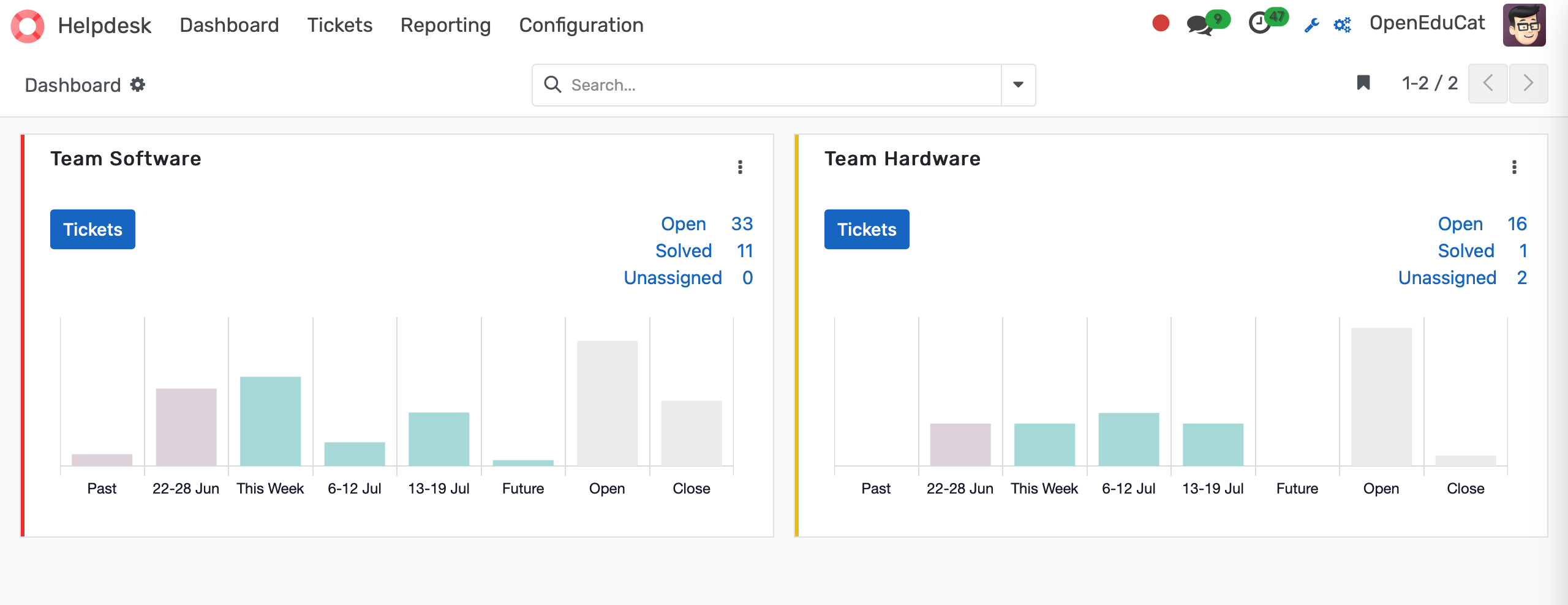
- IT, student affairs, and facilities run separate queues within a single system, leadership sees aggregate service performance across all departments without requesting exports from 3 separate tools
- Response-time dashboards show open, pending, and resolved ticket counts by department, agent, category, and time period, giving Directors of IT the data they need to justify staffing requests
- Student satisfaction surveys trigger automatically at ticket resolution, generating a continuous satisfaction score that does not require manual survey campaigns
Helpdesk & Support Tickets Features
Everything you need to manage helpdesk & support tickets effectively
Core Management
Essential helpdesk & support tickets management capabilities
Student Portal
Self-service portal for students to access information
Basic Reporting
Standard reports and data export functionality
Role-Based Access
Configure user permissions and access levels
Advanced Analytics
Detailed helpdesk & support tickets analytics with custom report builder and data visualization
Workflow Automation
Configure automated rules for approvals, notifications, and status transitions
Audit Trail
Complete audit logging of all helpdesk & support tickets activities for compliance and accountability
Priority Support
Dedicated support team with SLA-backed response times
Frequently Asked Questions
Get answers to common questions about Helpdesk & Support Tickets
Yes. Students log into the self-service portal to view the current status of every ticket they have submitted (open, in progress, waiting on information, or resolved) along with the full communication thread and any attachments. Automated email notifications fire at each status change, so students do not need to call or email to find out where their request stands. This reduces inbound status-check calls by 40–60% in most deployments.
Built for Your Institution Type
See how this feature works for your specific institution
Integrations, Comparisons & Tools
Extend Helpdesk & Support Tickets with integrations, see how we compare, and calculate your ROI
Related Features

Polls & Quick Surveys
Gather real-time feedback from students, faculty, and staff through quick polls and surveys, enabling data-driven decisions, higher engagement, and instant insights across academic and administrative campus initiatives.

Community Forums
Enable meaningful campus conversations with a centralized forum where students, faculty, and staff can connect, share ideas, ask questions, and collaborate in a moderated, secure, and easy-to-manage digital environment.

Secure Transcript
Generate tamper-proof academic transcripts with digital signatures, QR code verification, institutional watermarks, and batch processing for graduation cycles. Students order transcripts through a self-service portal, pay online, and track delivery status. Hold enforcement blocks release when financial obligations are unresolved. FERPA-compliant access controls govern every step from request to recipient.

Grievance Management System
Streamline the submission, tracking, and resolution of student complaints with a transparent, secure system that ensures timely responses, accountability, and clear communication between students, faculty, and administration.

Discussion Forums
Give every course its own persistent discussion board, auto-created at enrollment and archived for future cohorts. Faculty answer a question once and all 180 students see it. Participation data is logged and exportable for accreditation documentation.

Learning Management System
Deliver a complete digital learning experience with an LMS that enables course delivery, assignments, assessments, and progress tracking supporting teachers, engaging students, and simplifying academic management across schools and universities.
More Engagement & Outreach Features
Explore other features in this category
Ready to Transform Your Helpdesk & Support Tickets?
See how OpenEduCat frees up time so every student gets the attention they deserve.
Try it free for 15 days. No credit card required.