
Canteen Management System for Schools
Manage campus dining from menu planning to POS checkout, inventory, meal billing, and dietary compliance all integrated with student records, parent accounts, and accounting for real-time sales insights across every location.
Canteen Management System for Schools Benefits
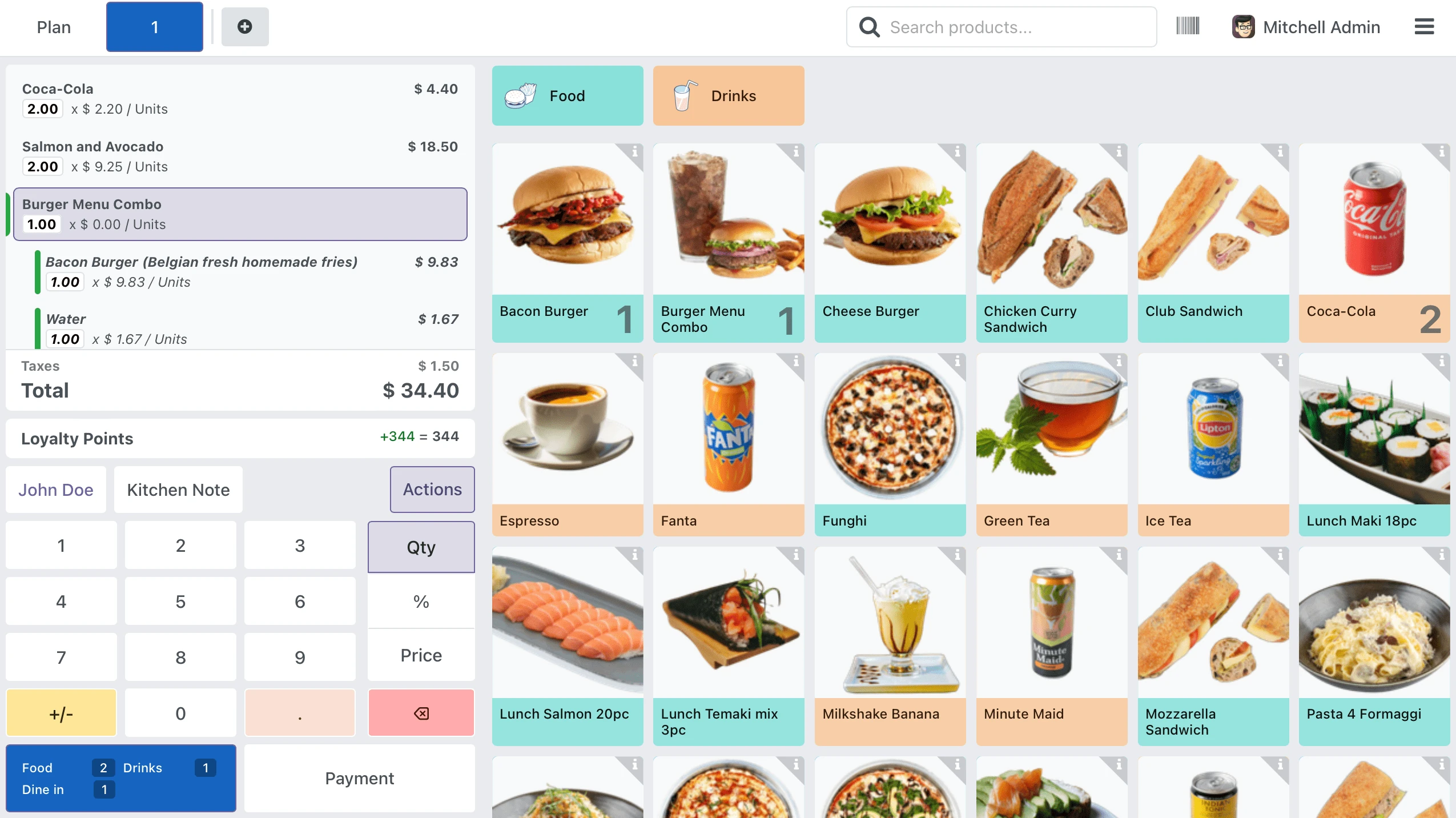
Eliminate Cash Handling Errors and Payment Reconciliation Gaps
Every meal transaction is recorded digitally with student ID, items purchased, payment method, and timestamp. The $387 discrepancies between cash tallies and actual counts stop happening because cash is no longer the primary payment channel.
- Student wallet balances accept deposits from parent portal payments, bank transfers, or front-office cash loads, with every inflow and outflow tracked to a timestamped ledger entry that the finance office can audit without calling food services
- Meal plan allocations deduct automatically at the POS when a student scans their ID, enforcing daily limits per meal type so a student on a lunch-only plan cannot charge breakfast without the system flagging the exception
- Parent billing pulls directly from transaction records. No spreadsheet intermediary, no monthly tally submission from food services, no discrepancies between what the cafeteria reported and what the finance office invoiced
Cut Food Waste by Linking Inventory to Actual Consumption Data
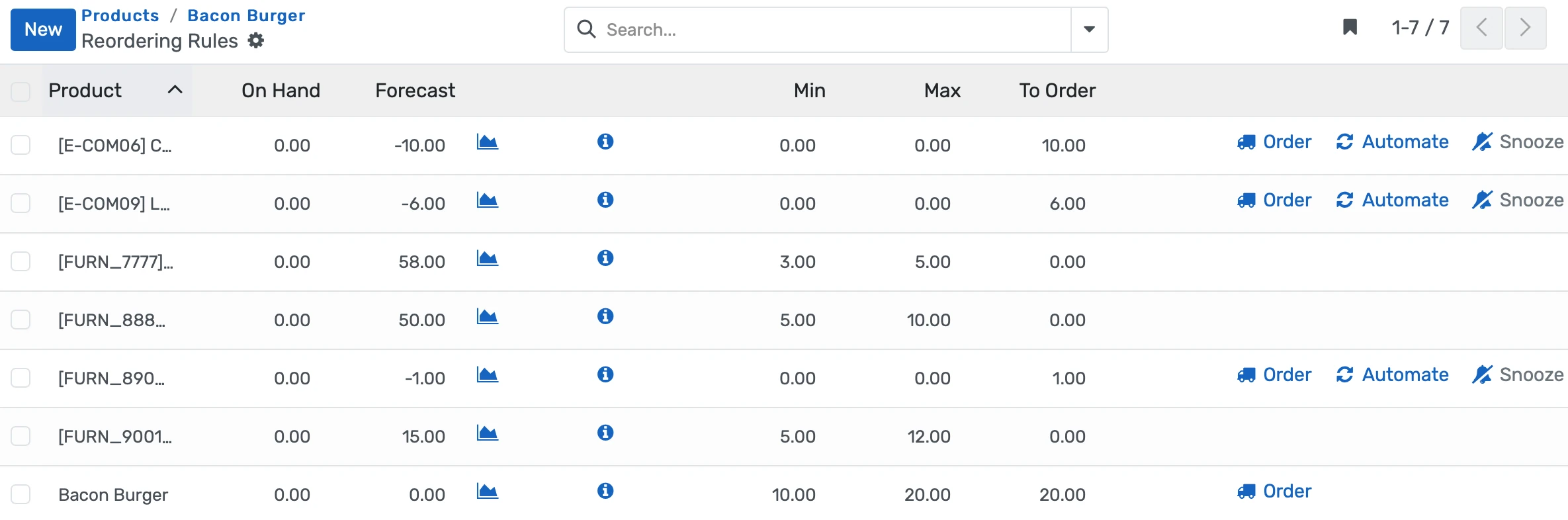
Every POS sale deducts ingredient quantities from kitchen stock in real time. Purchase orders are generated from consumption patterns and upcoming menus, not from memory or gut estimates.
- Recipe-level ingredient mapping means selling 340 taco plates automatically deducts ground beef, flour tortillas, shredded cheese, diced lettuce, and salsa from inventory in the exact quantities defined in the recipe card
- Reorder alerts trigger when any ingredient drops below a configurable minimum threshold, giving the kitchen manager 48 hours of lead time before a stockout affects the lunch line
- Purchase suggestion reports compare current stock levels against the upcoming week's planned menu and the previous month's consumption velocity, replacing the Monday morning guessing game
Protect Students with Dietary Flags That Cannot Be Bypassed at the Register
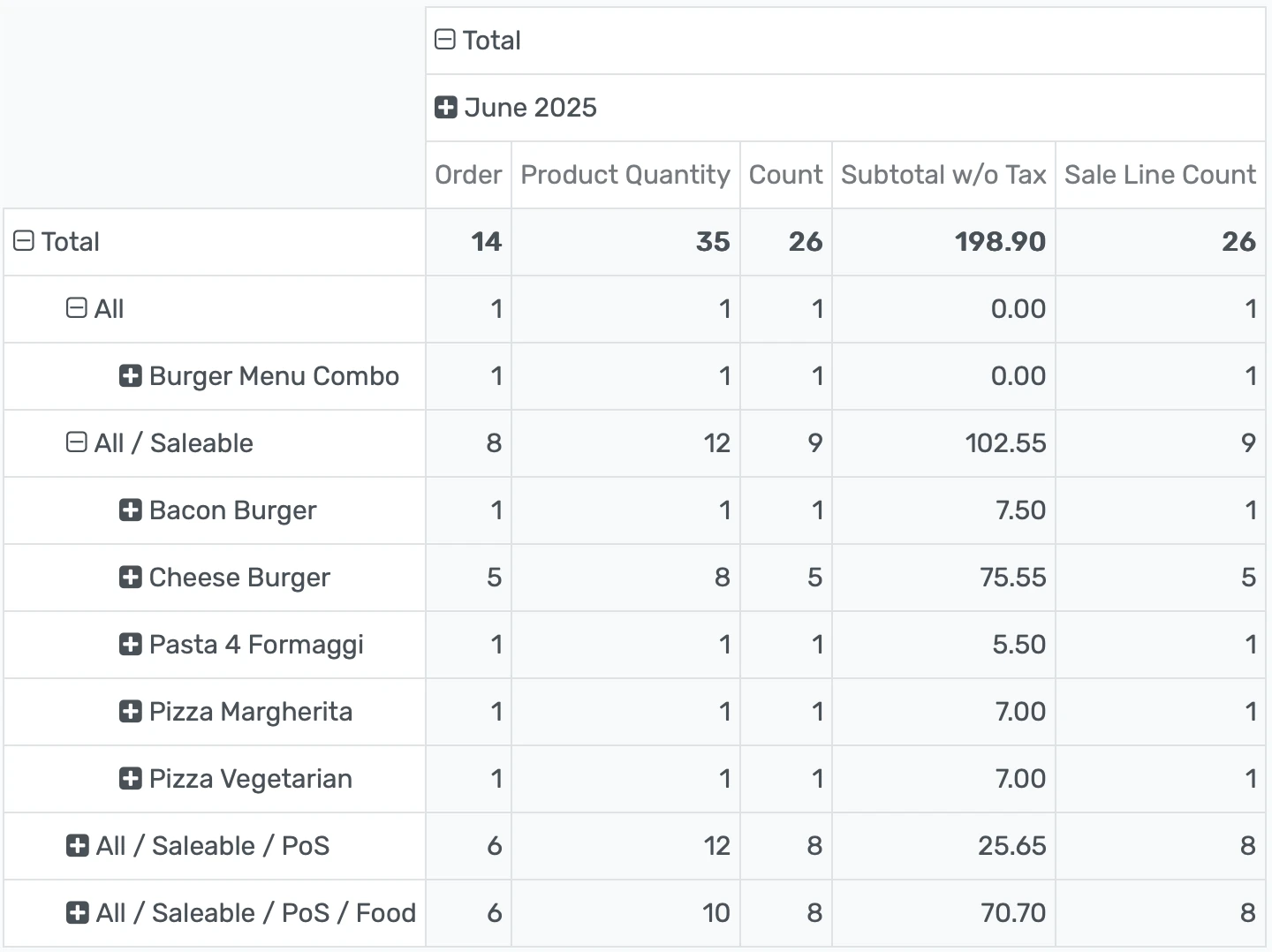
Allergy alerts, religious dietary restrictions, and physician-prescribed meal plans display on the POS screen the moment a student's ID is scanned, before a single item is rung up. No laminated card, no substitute cashier guessing.
- Dietary profiles stored in the student record carry allergy codes, religious restrictions, physician notes, and parent-specified preferences that surface as color-coded alerts on the POS screen during every transaction
- Item-level allergen tagging marks each menu item with its allergen content so the system can warn the cashier when a student with a tree nut allergy attempts to purchase a cookie containing almond flour
- Substitute cashiers see the same dietary alerts as regular staff because the data lives in the student profile, not in the cashier's memory or on a laminated reference card taped to the register
Canteen Management System for Schools Features
Everything you need to manage canteen management system for schools effectively
Core Management
Essential canteen management system management capabilities
Student Portal
Self-service portal for students to access information
Basic Reporting
Standard reports and data export functionality
Role-Based Access
Configure user permissions and access levels
Advanced Analytics
Detailed canteen management system analytics with custom report builder and data visualization
Workflow Automation
Configure automated rules for approvals, notifications, and status transitions
Audit Trail
Complete audit logging of all canteen management system activities for compliance and accountability
Priority Support
Dedicated support team with SLA-backed response times
Frequently Asked Questions
Get answers to common questions about Canteen Management System for Schools
When a student scans their ID at the POS terminal, the system pulls their dietary profile from the central student record. Allergy codes, religious dietary restrictions, and physician-prescribed meal plans display as color-coded alerts on the cashier's screen before any item is selected. If the cashier attempts to ring up an item tagged with an allergen that matches the student's profile, the system shows a specific warning identifying the allergen and the conflicting item. The cashier can override the alert in documented emergency situations, but every override is logged with the cashier ID, the timestamp, the student profile, and the item details for risk management audit purposes.
Built for Your Institution Type
See how this feature works for your specific institution
Integrations, Comparisons & Tools
Extend Canteen Management System for Schools with integrations, see how we compare, and calculate your ROI
Related Features

Transportation Management System
Plan bus routes, track vehicles in real time, assign students to stops, monitor driver certifications, and automate fee billing all in one system linked to student records, attendance, and parent portals.

Parent Portal and Login System
Give parents a self-service portal to check grades, attendance, fee balances, and teacher messages in real time. Front-office call volume drops, fee collection speeds up, and families actually stay informed instead of waiting for report card day.

Campus & Hostel Management System
Manage hostel allocations, facility bookings, inventories, maintenance, and multi-campus operations from a single system linked to student records, fees, and timetables giving housing directors real-time occupancy and cost insights.

Placement Management Software
Manage campus recruitment, match students to employer openings using academic and skill profiles, schedule interviews, track offers, and report placements giving officers real-time insights from a single dashboard without chasing spreadsheets.

Learning Management System
Cloud-based learning management system for schools and universities. Build courses with video, quizzes, and forums. Track student progress in real time. Issue certificates. One LMS platform connected to your student records, gradebook, and enrollment. No syncing or duplicate entry.

Student Management
Student information system software that keeps every record (academics, health, contacts, documents) in one place. SIS for K-12 schools and universities that gives staff accurate student data instantly and makes reporting effortless.
Ready to Transform Your Canteen Management System for Schools?
See how OpenEduCat frees up time so every student gets the attention they deserve.
Try it free for 15 days. No credit card required.