
Purchase Management for Schools
Streamline procurement with budget-validated requisitions, multi-level approvals, automated PO matching, vendor performance tracking, and built-in grant compliance reducing maverick spending and resolving audit risks before they arise.
Purchase Management Benefits
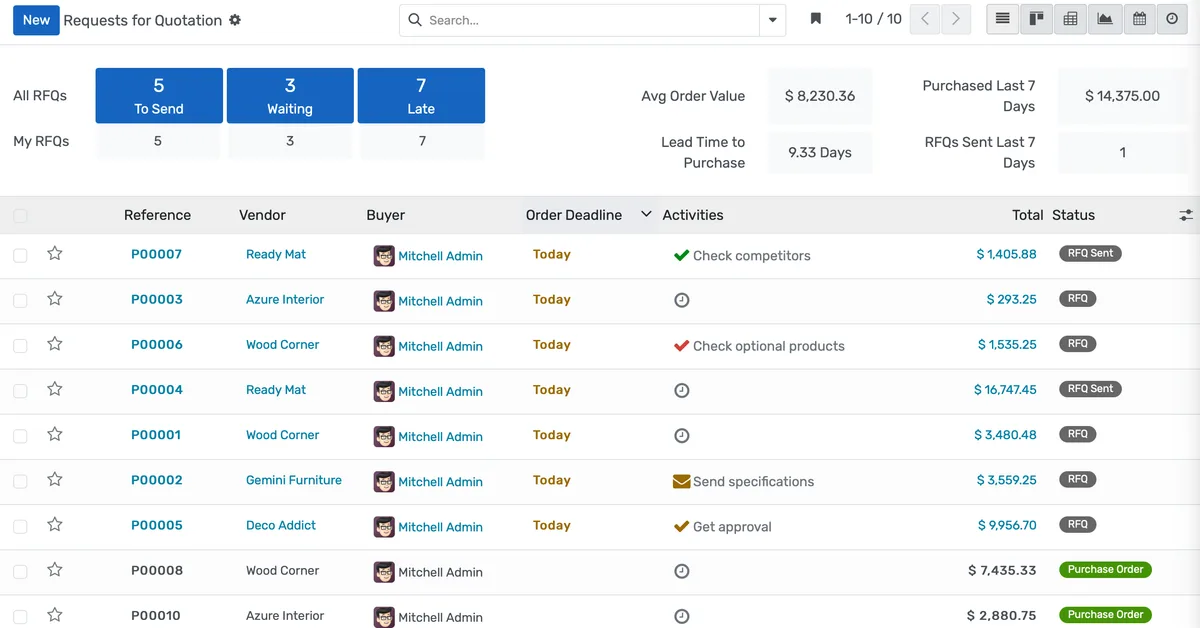
Requisition-to-PO in Days Instead of Weeks
When every requisition validates against budget, routes to the right approvers, checks grant compliance, and converts to a purchase order automatically, your faculty stop bypassing procurement because the official channel is actually faster.
- Staff submit requisitions through a web portal with required fields for item description, quantity, estimated cost, account code, funding source, and business justification. No email chains or Word documents
- Real-time budget validation blocks submissions when funds are insufficient and immediately encumbers approved amounts so other requestors see the true remaining balance before they submit
- Configurable approval chains route by dollar threshold, expense category, department, and funding source, with parallel routing when both a department head and grants office must sign off
Vendor Management That Protects Pricing and Quality
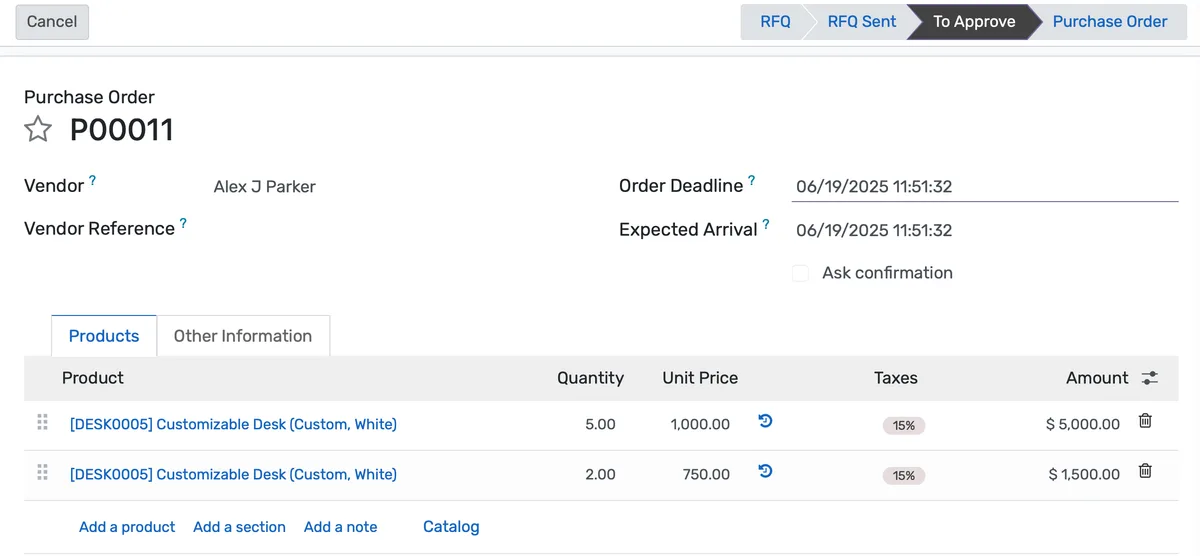
When you have 1,100 active vendors and no systematic way to track who delivers on time, who overcharges, and who meets quality standards, you are negotiating in the dark.
- Vendor performance scores update automatically based on on-time delivery rate, quality acceptance rate, pricing compliance against contracted rates, and average response time to RFQs
- Preferred vendor flags guide requestors to approved suppliers during requisition entry, with override options that require justification and additional approval for non-preferred sources
- DBE, small business, minority-owned, and local vendor classifications track participation against institutional goals with reporting that satisfies state and federal requirements
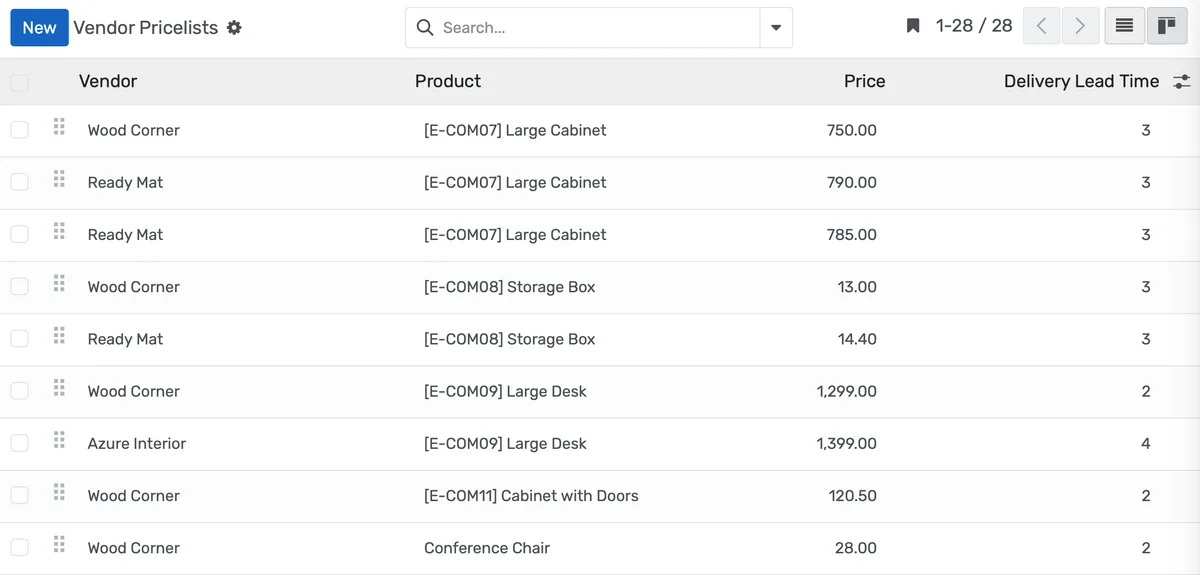
Three-Way Matching That Catches Errors Before Payment
When your AP clerk manually cross-references paper receiving logs against an Excel PO tracker and vendor invoices, duplicate payments and pricing discrepancies slip through every month.
- Receiving staff scan deliveries against purchase orders on a mobile device at the loading dock, recording exact quantities received with timestamps and condition notes for each line item
- Partial shipments create automatic backorder records linked to the original PO with expected delivery dates pulled from vendor confirmations through the portal
- Automatic three-way matching compares PO line items, received quantities, and invoice amounts, approving exact matches for payment without human intervention
Purchase Management Features
Everything you need to manage purchase management effectively
Online Requisitions
Web-based submission with required fields and attachments
Catalog Ordering
Select from approved item catalogs with preset pricing
Budget Validation
Real-time check against available budget
Justification Templates
Structured business case for non-standard purchases
Advanced Analytics
Detailed purchase management analytics with custom report builder and data visualization
Workflow Automation
Configure automated rules for approvals, notifications, and status transitions
Audit Trail
Complete audit logging of all purchase management activities for compliance and accountability
Priority Support
Dedicated support team with SLA-backed response times
Frequently Asked Questions
Get answers to common questions about Purchase Management
The module makes the official channel faster than the workaround. Staff submit requisitions through a web portal that validates budget in real time and routes approvals electronically. Most requisitions reach PO status within two to three days. Because the process is faster than ordering on a personal credit card and submitting a reimbursement, compliance increases naturally. Budget controls block purchases against insufficient funds, and policy settings can require purchase orders above configurable thresholds. Institutions typically see maverick spending drop below 2 percent within the first two quarters of use.
Built for Your Institution Type
See how this feature works for your specific institution
Integrations, Comparisons & Tools
Extend Purchase Management with integrations, see how we compare, and calculate your ROI
Related Features

Accounting Module
Built-in double-entry accounting for your education platform manage chart of accounts, journals, reconciliation, AP/AR, and cost centers seamlessly. Automate postings from fees, payroll, and purchases to close books faster with zero manual re-entry.

Inventory Management
Track lab chemicals, IT equipment, classroom supplies, and campus assets across every building and stockroom. Automated reorder points generate purchase requisitions before shortages happen, while barcode scanning, lot tracking, expiration alerts, and real-time valuation give operations teams full control over institutional inventory.

Expense Management
Let staff submit expenses with receipt photos while the system enforces policies, routes approvals by amount and funding source, and posts reimbursements to payroll giving finance real-time visibility into spending.

Financial Management
Set up fee structures once, auto-generate invoices at enrollment, accept payments via cash, bank, or online gateways, apply discounts automatically, and reconcile seamlessly - speeding up book closure with fewer errors and calls.

Sales Management
Track non-tuition revenue from corporate training contracts, facility rentals, consulting engagements, event tickets, and auxiliary services through a single pipeline. Build professional quotations, enforce discount approval limits, convert accepted quotes to invoices, generate contracts, and forecast revenue by stage, category, customer, and period.

Email Integration
Connect Microsoft 365, Google Workspace, or any mail server to automatically log emails against student, admissions, HR, and support records with tracking, templates, routing, and seamless communication management.
More Finance & Administration Features
Explore other features in this category
Ready to Transform Your Purchase Management?
See how OpenEduCat frees up time so every student gets the attention they deserve.
Try it free for 15 days. No credit card required.