
Expense Management for Schools
Let staff submit expenses with receipt photos while the system enforces policies, routes approvals by amount and funding source, and posts reimbursements to payroll giving finance real-time visibility into spending.
Expense Management Benefits
From Receipt Envelope to Digital Submission in Minutes
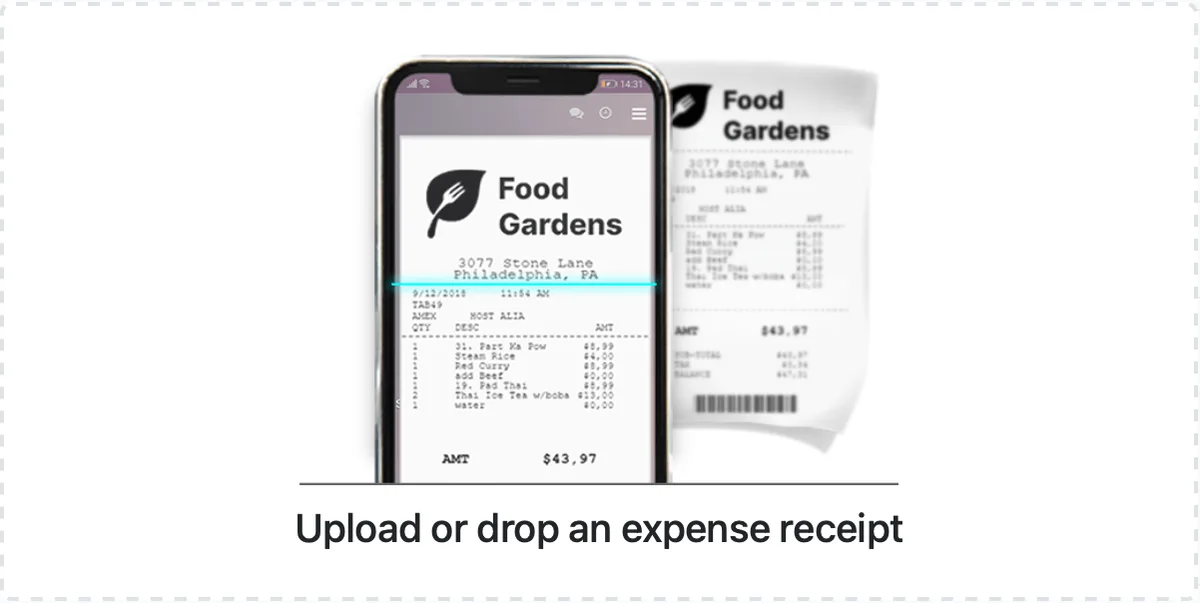
When staff can photograph a receipt on their phone, the OCR engine reads the details, policy checks run automatically, and the system flags violations before they hit submit, the paper chase ends permanently.
- Mobile receipt capture uses OCR to extract vendor name, amount, date, and payment method from a phone photo, staff confirm the extracted data and add a business justification instead of filling out a two-page paper form
- Per diem validation checks meal and lodging expenses against location-specific rates stored in the system, flagging overages at the point of entry with the exact allowable amount displayed so staff can correct before submission
- Mileage tracking accepts GPS-logged trips from the mobile app or manual entry of origin, destination, route taken, and round-trip distance, applying the institution's current IRS-rate or custom rate table to calculate reimbursement automatically
Approval Routing That Matches Your Org Chart and Grant Structure
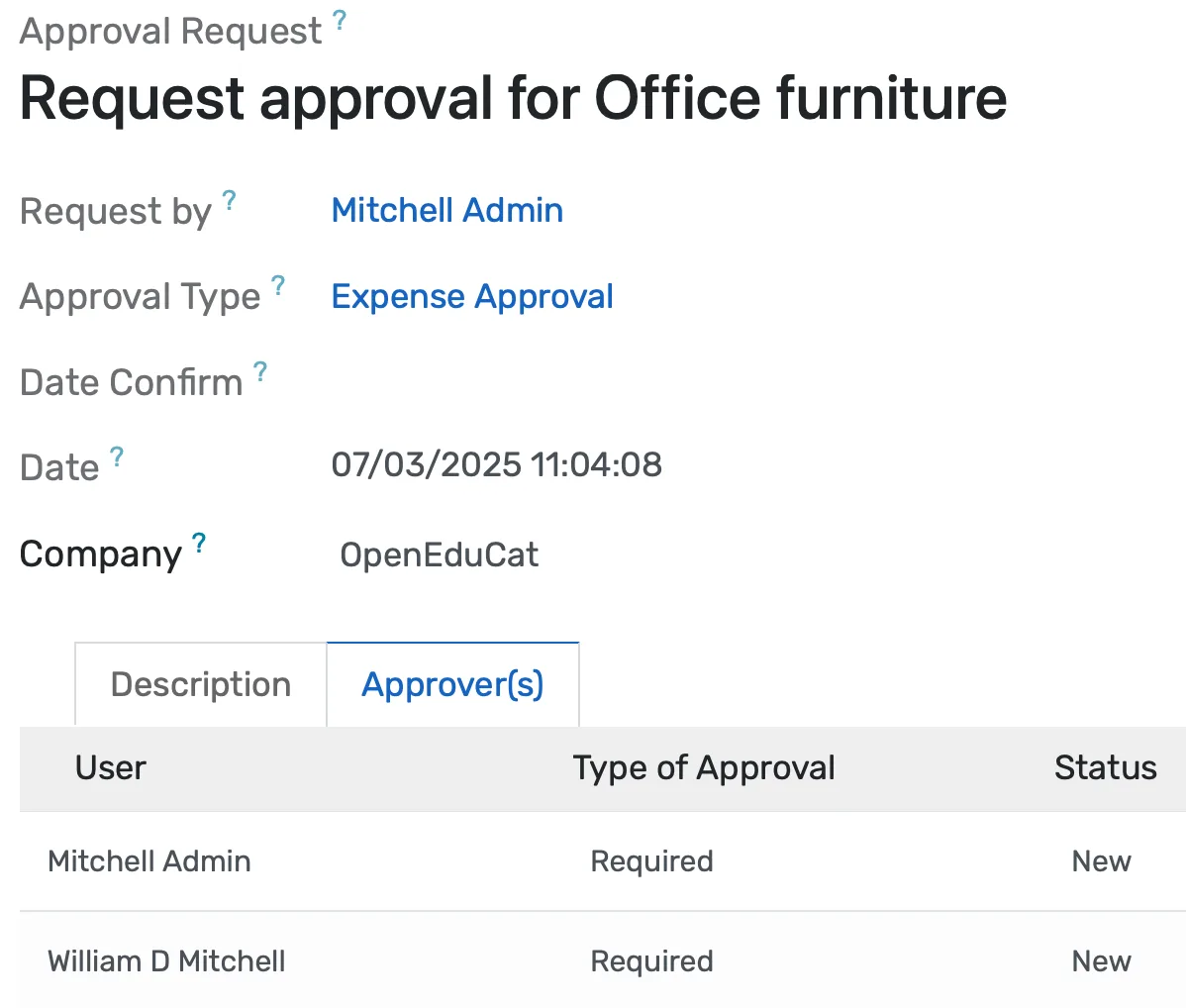
When approval chains mirror your actual authority levels and grant compliance requirements, reports stop sitting on absent approvers' desks for weeks.
- Configurable approval chains route by dollar threshold, expense category, department, and funding source, department head under $500, dean for $500 to $5,000, VP of Finance above $5,000, with parallel routing to the grants office for federally funded expenses
- Delegation rules automatically reroute approvals when the assigned approver is on sabbatical, medical leave, conference travel, or any other recorded absence, using the backup approver designated in the system
- Escalation timers push stalled approvals to the next level after a configurable delay (default 48 hours), sending a notification to both the original approver and the escalation recipient with the report details
Grant Compliance and Budget Visibility Without the Spreadsheet
When every grant-charged expense validates against allowable categories before submission and budget balances update in real time, your grants accountant stops maintaining a parallel spreadsheet.
- Each grant is configured with its own allowable expense categories, indirect cost rate, documentation requirements, and budget lines. The system blocks disallowed expense types at the point of entry with a specific message explaining why the category is not permitted under that funding source
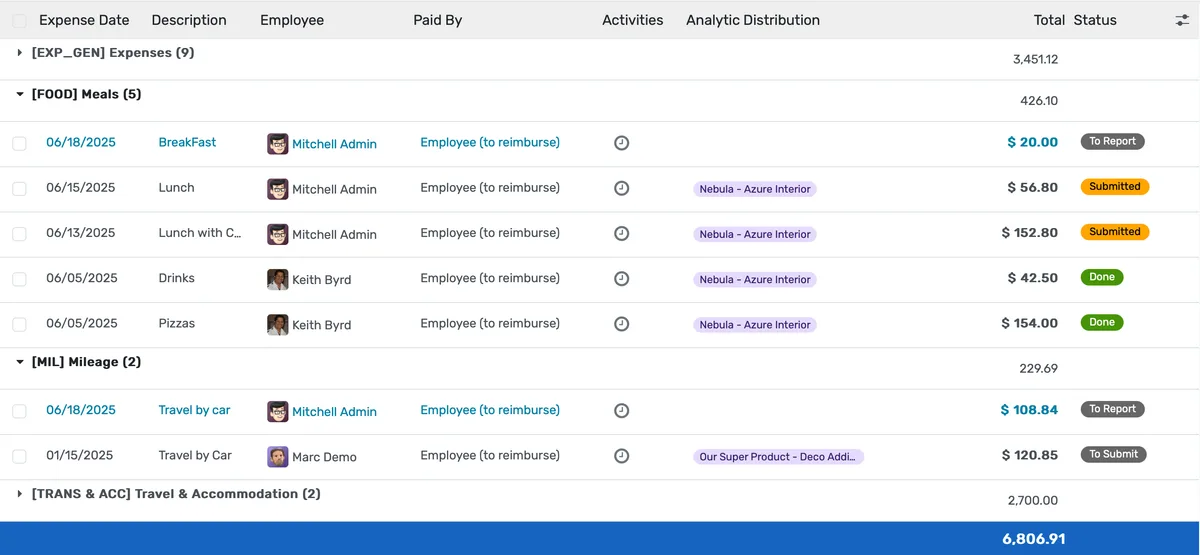
- Real-time budget consumption dashboards show spending by department, category, grant, and period with drill-down to individual expense reports, replacing the month-end reconciliation cycle with continuous visibility
- Advance reconciliation tracks cash advances issued for conference travel or fieldwork against submitted expense reports, automatically calculating the amount owed back to the institution or the additional reimbursement due to the employee
Expense Management Features
Everything you need to manage expense management effectively
Mobile App
iOS and Android apps for receipt capture and submission
OCR Processing
Automatic extraction of vendor, amount, date from receipts
Email Forwarding
Forward receipts from email for automatic processing
Credit Card Import
Import transactions from corporate cards
Advanced Analytics
Detailed expense management analytics with custom report builder and data visualization
Workflow Automation
Configure automated rules for approvals, notifications, and status transitions
Audit Trail
Complete audit logging of all expense management activities for compliance and accountability
Priority Support
Dedicated support team with SLA-backed response times
Frequently Asked Questions
Get answers to common questions about Expense Management
Per diem rates are stored in a rate table organized by geographic zone, typically in-state, out-of-state domestic, international, and high-cost city tiers, though you can define as many zones as your policy requires. Each zone has separate meal and lodging rates with effective dates. When the GSA or your board updates rates for the new fiscal year, you update the table once and every subsequent expense report validates against the current rates automatically. Staff selecting a travel destination on their expense report see the applicable per diem displayed before they enter amounts. If a meal claim exceeds the rate, the system flags it at entry and requires either a reduction or a written justification that routes to the approver for review.
Built for Your Institution Type
See how this feature works for your specific institution
Integrations, Comparisons & Tools
Extend Expense Management with integrations, see how we compare, and calculate your ROI
Related Features

Accounting Module
Built-in double-entry accounting for your education platform manage chart of accounts, journals, reconciliation, AP/AR, and cost centers seamlessly. Automate postings from fees, payroll, and purchases to close books faster with zero manual re-entry.

Payroll Management
Automate school payroll with accurate salary calculations, tax compliance, benefits, and payslips integrated with attendance and contracts to ensure timely payments, reduce errors, and simplify staff compensation management.

Purchase Management
Streamline procurement with budget-validated requisitions, multi-level approvals, automated PO matching, vendor performance tracking, and built-in grant compliance reducing maverick spending and resolving audit risks before they arise.

Financial Management
Set up fee structures once, auto-generate invoices at enrollment, accept payments via cash, bank, or online gateways, apply discounts automatically, and reconcile seamlessly - speeding up book closure with fewer errors and calls.

Sales Management
Track non-tuition revenue from corporate training contracts, facility rentals, consulting engagements, event tickets, and auxiliary services through a single pipeline. Build professional quotations, enforce discount approval limits, convert accepted quotes to invoices, generate contracts, and forecast revenue by stage, category, customer, and period.

Asset Request Management
Streamline equipment requests with budget-linked approvals, track assets from acquisition to disposal with barcodes, automate warranties and maintenance, and unify procurement, accounting, and facilities, reducing losses and eliminating emergency purchases.
More Finance & Administration Features
Explore other features in this category
Ready to Transform Your Expense Management?
See how OpenEduCat frees up time so every student gets the attention they deserve.
Try it free for 15 days. No credit card required.