
Email Integration for Schools
Connect Microsoft 365, Google Workspace, or any mail server to automatically log emails against student, admissions, HR, and support records with tracking, templates, routing, and seamless communication management.
Email Integration Benefits
Every Student Conversation in One Record, Not Fourteen Inboxes
When a parent calls about a financial aid appeal and the original email thread lives in a different counselor's Outlook folder, your staff asks the family to start over. That happens 30 times a week at a 4,200-student college.
- Incoming emails match automatically to student records, applicant files, parent profiles, or vendor contacts based on sender address, when a parent emails finaid@yourinstitution.edu, the message appears on their child's financial aid record within seconds, visible to every authorized staff member
- Outgoing emails sent from any record (student profile, admissions case, HR file, support ticket) log the full message, attachments, timestamp, and sending staff member to the record's communication timeline without manual copy-paste or BCC workarounds
- Thread continuity preserves the full conversation chain: when a student replies to a registration email, the reply threads under the original message on the student record, even if a different staff member sent the original and a third staff member responds to the reply
Department Inboxes That Route, Assign, Track, and Escalate Instead of Hoping Someone Handles It
A shared inbox with five people monitoring it produces two outcomes: the same email answered twice, or the same email answered never. Both happen weekly when there is no assignment system.
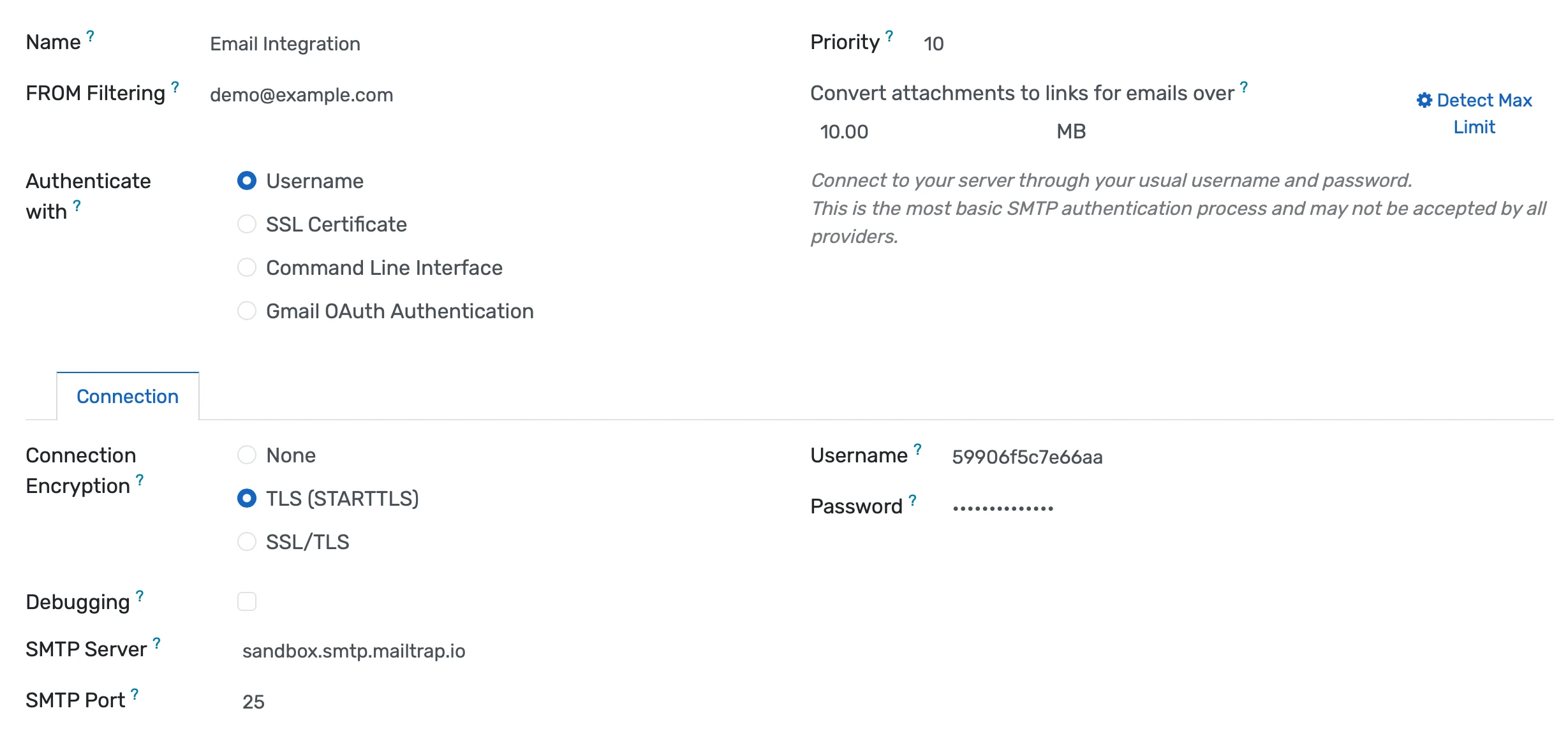
- Mail aliases for admissions@, registrar@, finaid@, advising@, and any other department address route incoming emails into the platform with automatic assignment based on the student's counselor, academic program, territory, or round-robin distribution rules
- Assignment visibility shows every team member which emails are assigned to whom, which have been answered, which are still waiting, and which have breached response-time thresholds, eliminating the duplicate-reply problem where two staff members respond to the same parent email with conflicting information
- Escalation rules flag emails that have gone unanswered beyond a configurable threshold (24 hours, 48 hours, one business day) and alert the department supervisor, preventing the scenario where inquiry emails sit for six weeks because everyone assumed someone else handled them
Templates, Tracking, Scheduling, and Bounce Handling for High-Volume Communications
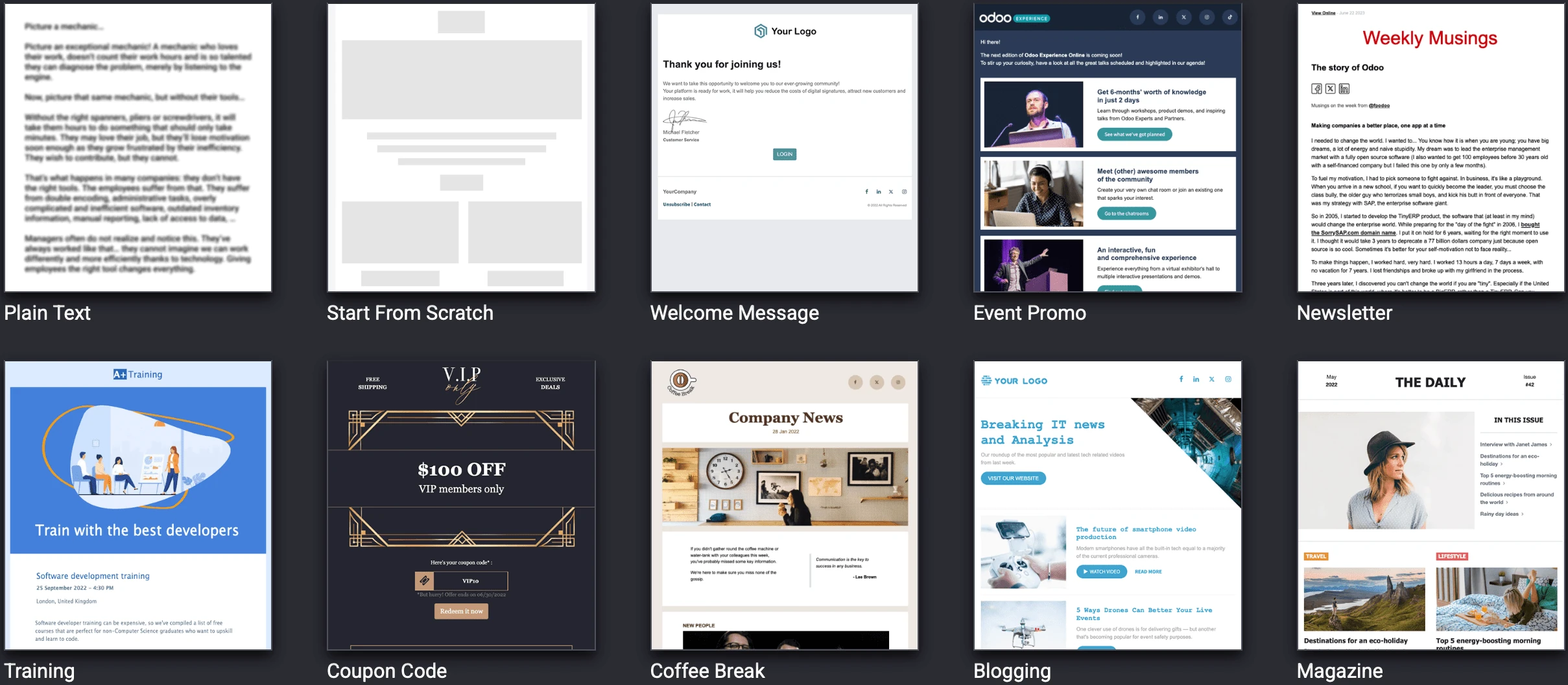
Financial aid sends 800 award notifications in a single batch. Admissions sends 2,400 follow-ups during recruitment season. Without templates and tracking, each one is a manual composition with no visibility into whether it was read.
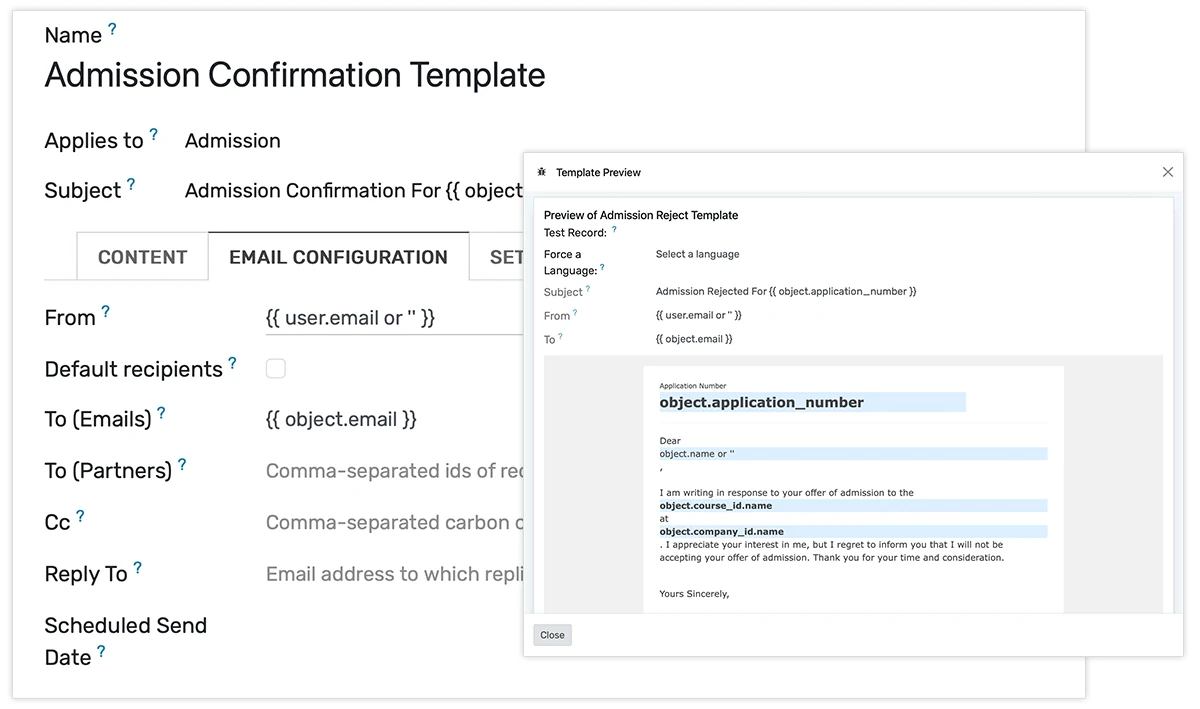
- Email templates with merge fields pull data directly from the record: student name, program, enrollment date, financial aid amount, course schedule, advisor name, payment due date, producing personalized emails at volume without manual data entry for each message
- Scheduled sending queues batch communications for a specific date and time so the financial aid office can prepare 800 award notification emails on Thursday and deliver them at 8:00 AM Friday when open rates are highest for that audience
- Open tracking and click tracking show which recipients opened the email and which links they clicked, giving admissions visibility into whether prospective students actually read the program information or financial aid details you sent them
Email Integration Features
Everything you need to manage email integration effectively
Microsoft 365
Native integration with Outlook and Exchange Online via OAuth
Google Workspace
Gmail integration with OAuth authentication
Standard IMAP/SMTP
Connect any standards-compliant email server
Multiple Accounts
Connect departmental mailboxes (admissions@, finance@, etc.)
Advanced Analytics
Detailed email integration analytics with custom report builder and data visualization
Workflow Automation
Configure automated rules for approvals, notifications, and status transitions
Audit Trail
Complete audit logging of all email integration activities for compliance and accountability
Priority Support
Dedicated support team with SLA-backed response times
Frequently Asked Questions
Get answers to common questions about Email Integration
The integration connects to Microsoft 365 (Outlook/Exchange Online) and Google Workspace (Gmail) via OAuth authentication, which means your institution authorizes the connection once without storing email passwords in the platform. For institutions running on-premises Exchange servers, self-hosted email, or other providers, standard IMAP for incoming mail and SMTP for outgoing mail are both supported. You can connect multiple accounts simultaneously, admissions@, registrar@, finaid@, advising@, hr@, and individual staff mailboxes if needed. Mail syncs bidirectionally on a configurable polling interval, typically between one and fifteen minutes. New emails appear on the matched record within that interval without staff taking any manual action.
Built for Your Institution Type
See how this feature works for your specific institution
Integrations, Comparisons & Tools
Extend Email Integration with integrations, see how we compare, and calculate your ROI
Related Features

E-Commerce Module
Sell courses, certifications, merchandise, tickets, and services through a unified store connected to enrollment, inventory, and accounting automate checkout, recover abandoned carts, and post every transaction to the ledger instantly.

Accounting Module
Built-in double-entry accounting for your education platform manage chart of accounts, journals, reconciliation, AP/AR, and cost centers seamlessly. Automate postings from fees, payroll, and purchases to close books faster with zero manual re-entry.

Purchase Management
Streamline procurement with budget-validated requisitions, multi-level approvals, automated PO matching, vendor performance tracking, and built-in grant compliance reducing maverick spending and resolving audit risks before they arise.

Expense Management
Let staff submit expenses with receipt photos while the system enforces policies, routes approvals by amount and funding source, and posts reimbursements to payroll giving finance real-time visibility into spending.

CRM Module
OpenEduCat's Enrollment CRM captures prospective student inquiries from every channel into a single pipeline, then routes follow-up tasks and drip sequences automatically based on program interest and engagement score. Enrollment teams replace disconnected spreadsheets and email inboxes with a single pipeline that tracks every prospect from first inquiry through enrollment.

Learning Management System
Cloud-based learning management system for schools and universities. Build courses with video, quizzes, and forums. Track student progress in real time. Issue certificates. One LMS platform connected to your student records, gradebook, and enrollment. No syncing or duplicate entry.
More Finance & Administration Features
Explore other features in this category
Ready to Transform Your Email Integration?
See how OpenEduCat frees up time so every student gets the attention they deserve.
Try it free for 15 days. No credit card required.