
BigBlueButton Integration
Run a self-hosted, open-source virtual classroom on your own servers so student data never leaves campus. BigBlueButton brings education-native features — multi-user whiteboard, breakout rooms, shared notes, attendance sync — directly into your timetable and student information system.
BigBlueButton Integration Benefits
Data Sovereignty and Privacy Compliance
Every byte of session data (recordings, participant logs, chat transcripts, attendance records) stays on servers the institution owns and controls. No third-party data access, no cross-border data transfers, no vendor retention policies applied to student educational records.
- All recordings and participant data stored on institution-owned servers, never transferred to third-party cloud infrastructure
- Supports FERPA compliance by keeping student educational records under direct institutional control
- Meets GDPR and national data localization requirements for institutions in jurisdictions that restrict cross-border data transfers

Education-Native Virtual Classroom Features
BigBlueButton was built by educators for teaching, not adapted from a business meeting tool. The feature set reflects how learning actually happens: collaborative annotation, small-group work, formative assessment, and structured discussion.
- Multi-user whiteboard with annotation tools that multiple participants can use simultaneously, built for collaborative problem-solving, not just faculty presentation
- Breakout rooms with persistent shared notes that faculty can review during and after the session, replacing the lost-when-you-leave-Zoom-breakout experience
- Built-in polling and quick assessment tools that do not require a separate survey platform or browser extension
Cost and Integration Advantages
Eliminating per-user licensing fees is the most visible cost change, but the deeper value is in operational time recovered from manual workarounds, meeting link distribution, attendance reconciliation, and recording retrieval.
- No per-user, per-host, or per-session licensing fees, server infrastructure cost replaces recurring vendor licensing at a fraction of the price for institutions over 1,000 users
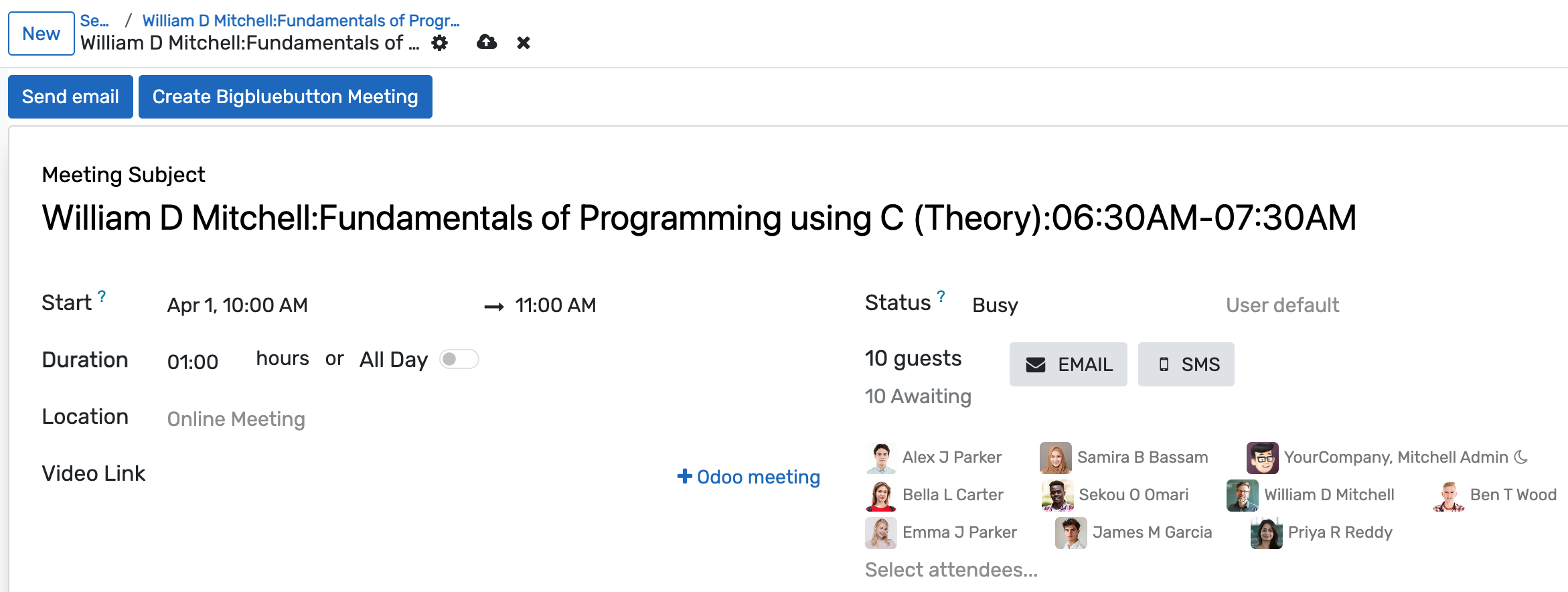
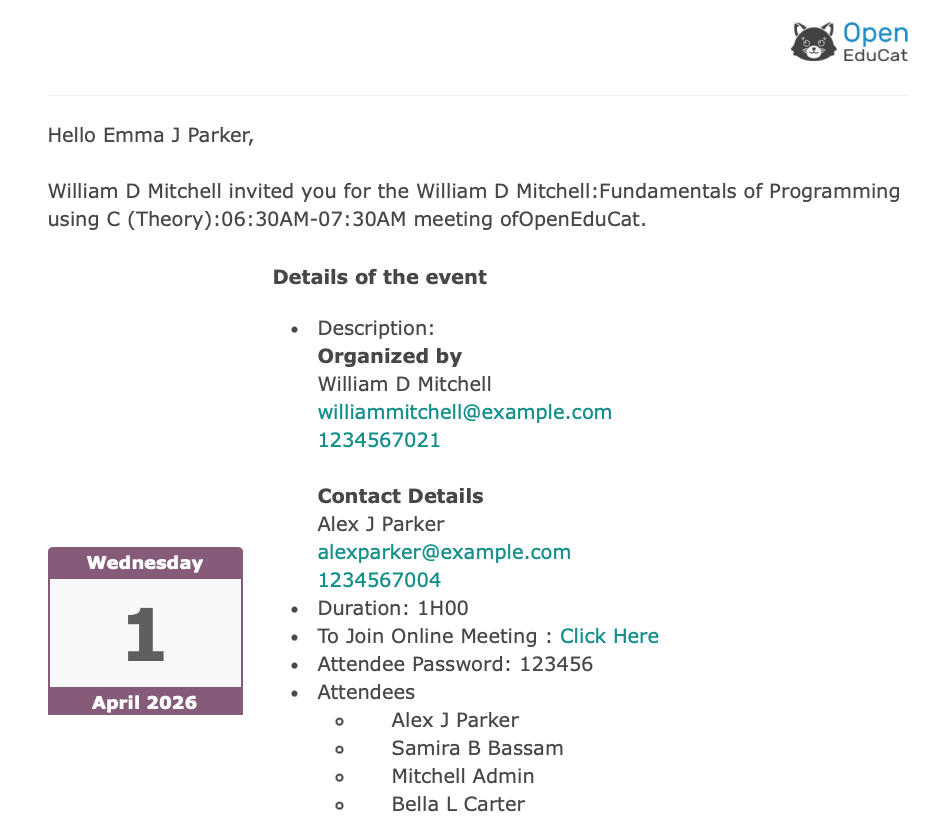
- Sessions launch automatically from the timetable module. No manual meeting creation, no link distribution outside the student portal
- Attendance data writes back to the OpenEduCat attendance module from BigBlueButton participant logs without manual reconciliation or CSV imports
BigBlueButton Integration Features
Everything you need to manage bigbluebutton integration effectively
Core Management
Essential bigbluebutton integration management capabilities
Student Portal
Self-service portal for students to access information
Basic Reporting
Standard reports and data export functionality
Role-Based Access
Configure user permissions and access levels
Advanced Analytics
Detailed bigbluebutton integration analytics with custom report builder and data visualization
Workflow Automation
Configure automated rules for approvals, notifications, and status transitions
Audit Trail
Complete audit logging of all bigbluebutton integration activities for compliance and accountability
Priority Support
Dedicated support team with SLA-backed response times
Frequently Asked Questions
Get answers to common questions about BigBlueButton Integration
BigBlueButton requires a dedicated server (physical or virtual) with a minimum of 8 CPU cores, 16 GB RAM, and 500 GB storage for a deployment supporting up to 200 concurrent users. Larger deployments use a load-balanced cluster. Most universities already operate virtual machine infrastructure that can host a BBB instance; OpenEduCat's implementation team provides server sizing guidance based on your concurrent session estimates during the setup process.
Built for Your Institution Type
See how this feature works for your specific institution
Integrations, Comparisons & Tools
Extend BigBlueButton Integration with integrations, see how we compare, and calculate your ROI
Related Features

Learning Management System
Cloud-based learning management system for schools and universities. Build courses with video, quizzes, and forums. Track student progress in real time. Issue certificates. One LMS platform connected to your student records, gradebook, and enrollment. No syncing or duplicate entry.

Live Classroom Software for Educational Institutions
Run live classes from your timetable with Zoom, Google Meet, Microsoft Teams, or built-in video. Attendance records itself when students join. Quiz scores flow straight to the gradebook. Session recordings land in the course library. One virtual classroom that knows every student by name, tracks every minute, and writes every record back to your SIS. No copy-pasting between tabs.

Zoom Integration
OpenEduCat's Zoom integration automatically creates meetings from your academic timetable and syncs attendance from Zoom participation data directly into the SIS, so faculty never manually create meeting links and coordinators never chase spreadsheets to verify who attended a virtual session.

Google Meet Integration
Automatically generate Google Meet links from your timetable, sync sessions to Google Calendar, deliver links directly to each student's portal, and record attendance from join and leave data — eliminating manual link creation and the email-chain chaos that follows.

Microsoft Teams Integration
Many institutions are paying for Microsoft 365 Education E3 or A3 licenses but faculty still schedule academic sessions in Zoom or Google Meet while Teams sits unused for anything pedagogical. This integration connects your academic timetable directly to Teams — creating channels per course, scheduling meetings from the academic calendar, syncing student rosters from enrollment, and pulling attendance from meeting participation data — so the Microsoft licenses your institution is already paying for actually cover academic delivery.
More Connected Campus Features
Explore other features in this category
Ready to Transform Your BigBlueButton Integration?
See how OpenEduCat frees up time so every student gets the attention they deserve.
Try it free for 15 days. No credit card required.