
Quiz & Assessment Software
Auto-grade quizzes the moment students submit. Build question banks once and reuse them across semesters, departments, and programs. Get per-question analytics that show you which concepts students actually understood and which ones need reteaching, with every score synced to the gradebook automatically.
Quiz & Assessment Module Benefits
Grading That Happens Before Faculty Finish Their Coffee
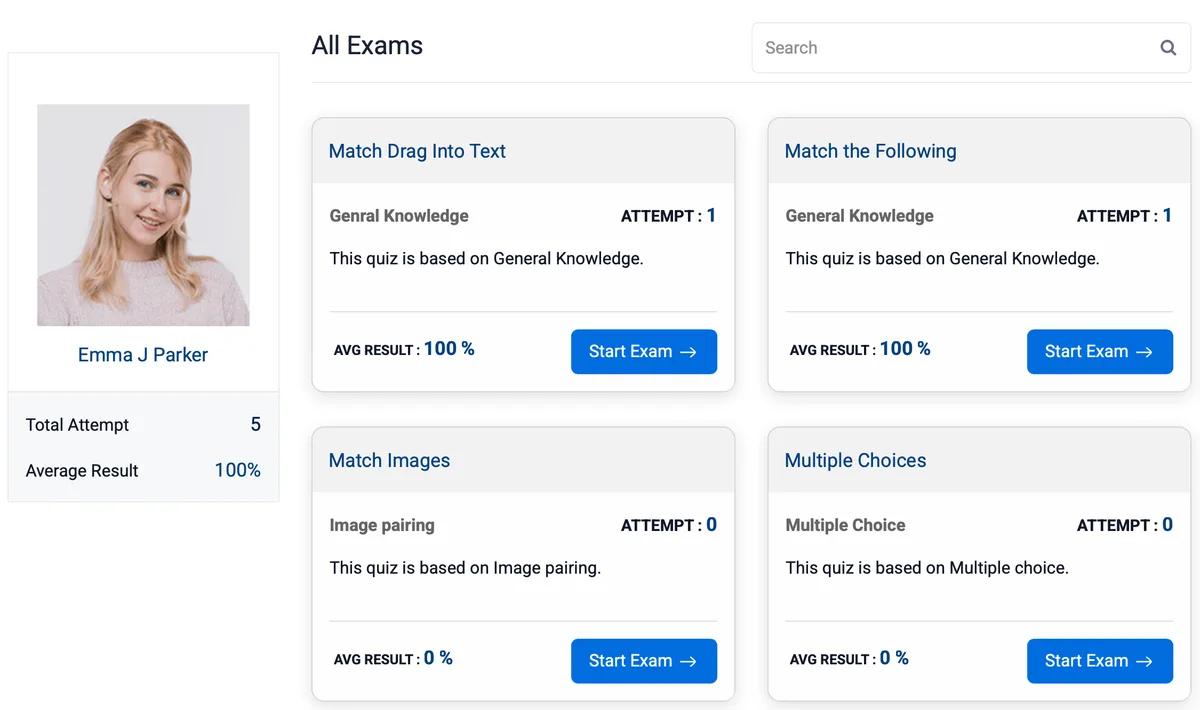
Auto-grading scores every objective question the second a student hits submit. Faculty only review essays and open-ended responses, everything else is already done, recorded, and synced.
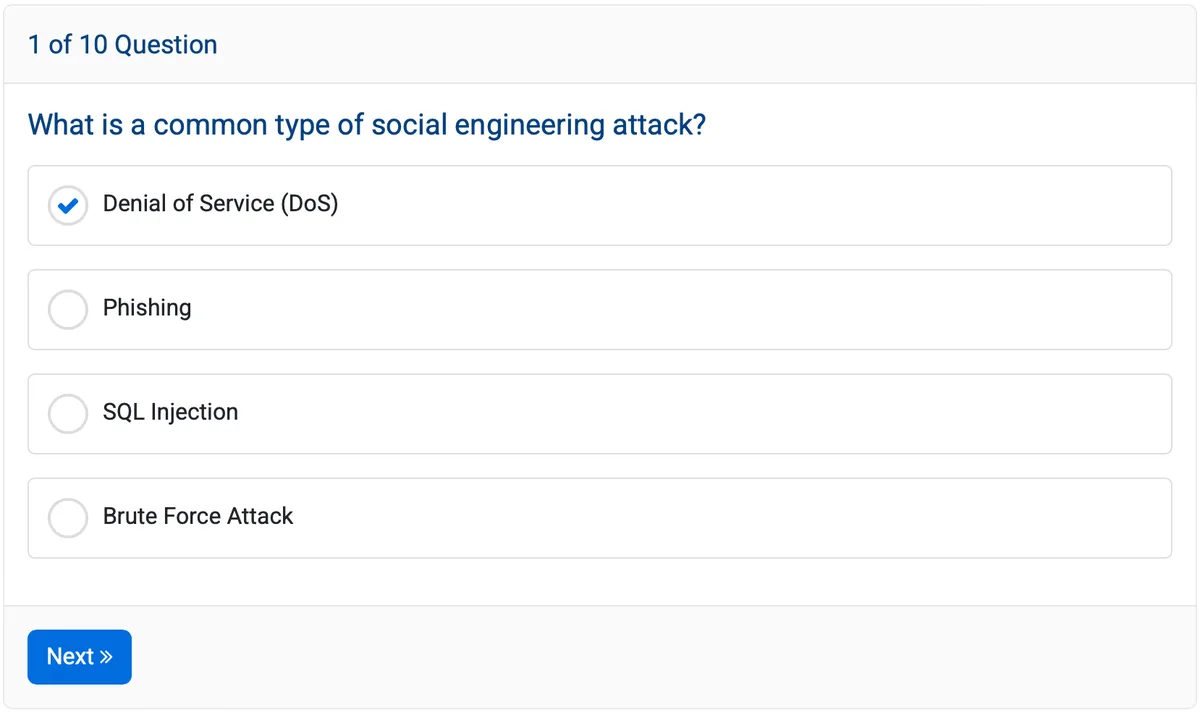
- MCQ, true/false, fill-in-the-blank, matching, ordering, and image-based questions all grade automatically with zero faculty involvement
- Partial credit awards proportional points, if a student selects 3 of 4 correct answers on a multi-select question, they get 75% of the marks, not zero
- Per-question feedback displays the correct answer and your explanation the moment the student finishes, turning every quiz into a learning opportunity
A Question Bank That Gets More Valuable Every Semester
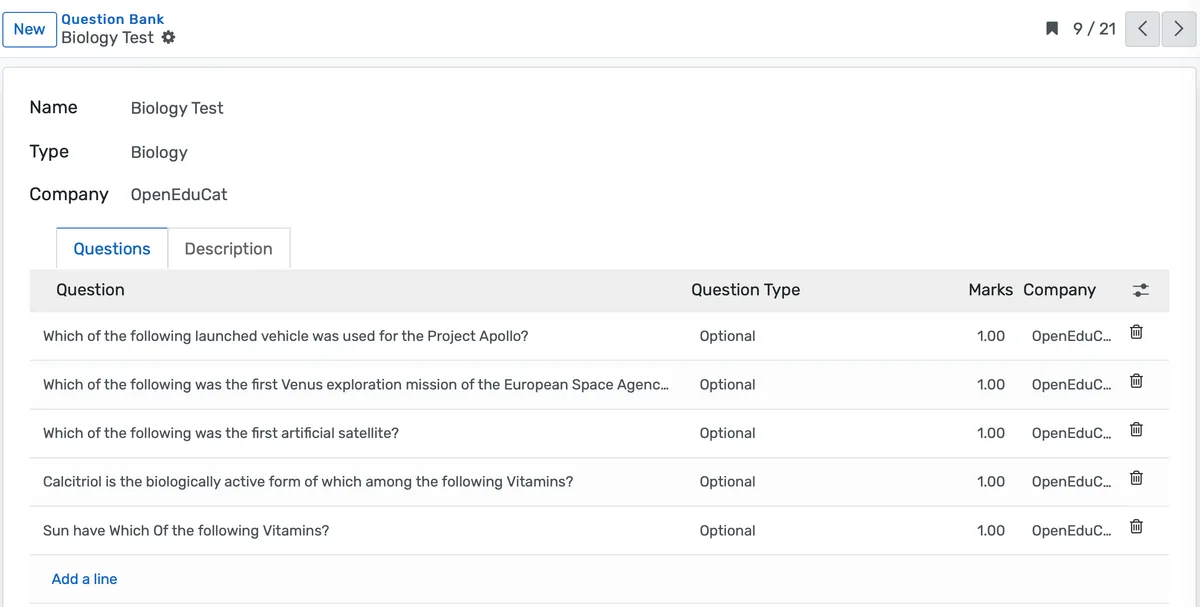
Write a question once. Tag it by subject, topic, and difficulty. Reuse it across courses, sections, and years. The bank grows with your institution instead of resetting every August.
- Organize questions by subject, topic, difficulty level, and question type, then filter by any combination when assembling a new quiz
- Version control tracks edits so you can update a question's wording without losing the original, and usage statistics show how many times each question has been deployed
- Import questions in bulk from spreadsheets for faculty migrating from Moodle, Canvas, Blackboard, or paper-based test banks they have maintained for years
Analytics That Tell You What Students Actually Learned
Item analysis, score distributions, time-per-question data, and trend reporting across sections and semesters. You see which concepts landed and which ones need a different approach.
- Item analysis shows each question's difficulty index (what percentage of students got it right) and discrimination index (did it separate high performers from low performers, or was it just confusing)
- Score distribution histograms reveal whether your assessment matched the class, a normal curve, a bimodal split, or a floor effect that suggests the material was not covered adequately
- Time analysis tracks how long students spent on each question, surfacing questions where students stalled for 4 minutes on a concept you thought was straightforward
Quiz & Assessment Module功能
有效管理quiz & assessment module所需的一切
Quiz Creation
Create unlimited assessments
Question Bank
Organize reusable questions
Basic Question Types
MCQ, True/False, Fill-in-Blank
Advanced Question Types
Matching, Ordering, Image-based
Negative Marking
Deduct points for wrong answers
IP Restrictions
Limit to specific locations
Subject Categorization
Organize by academic subject
Topic Tags
Further classify by specific topics
常见问题
获取关于Quiz & Assessment Module常见问题的解答
Yes. The quiz interface is fully responsive and works on smartphones and tablets. Students can complete assessments from any device with a web browser. For high-stakes exams where you want to restrict device types, the OpenEduCat offers additional lockdown capabilities.
为您的机构类型量身打造
了解此功能如何适用于您的特定机构
集成、对比与工具
通过集成扩展Quiz & Assessment Module,查看竞品对比,计算您的 ROI
相关功能

Learning Management System
Cloud-based learning management system for schools and universities. Build courses with video, quizzes, and forums. Track student progress in real time. Issue certificates. One LMS platform connected to your student records, gradebook, and enrollment. No syncing or duplicate entry.

Assignment Management
Streamline assignment creation, submission, and grading with a centralized platform that keeps students and teachers organized, tracks progress, and enhances productivity across classrooms and campuses.

Attendance Management
Effortlessly track and manage student attendance with a smart, automated system that reduces manual work, ensures accuracy, and provides real-time insights for teachers and administrators.

Examination System
Schedule hundreds of exams across multiple rooms without conflicts, generate student hall tickets, and publish verified results in days providing exam controllers smooth logistics and registrars audit-ready records efficiently.

Course Management
Effortlessly create, organize, and manage courses with a user-friendly platform that streamlines content delivery, tracks progress, and enhances the learning experience for students and educators.

Student Management
Student information system software that keeps every record (academics, health, contacts, documents) in one place. SIS for K-12 schools and universities that gives staff accurate student data instantly and makes reporting effortless.