
Gradebook and Grading System Benefits
Eliminate Grade Calculation Errors Before They Reach Students
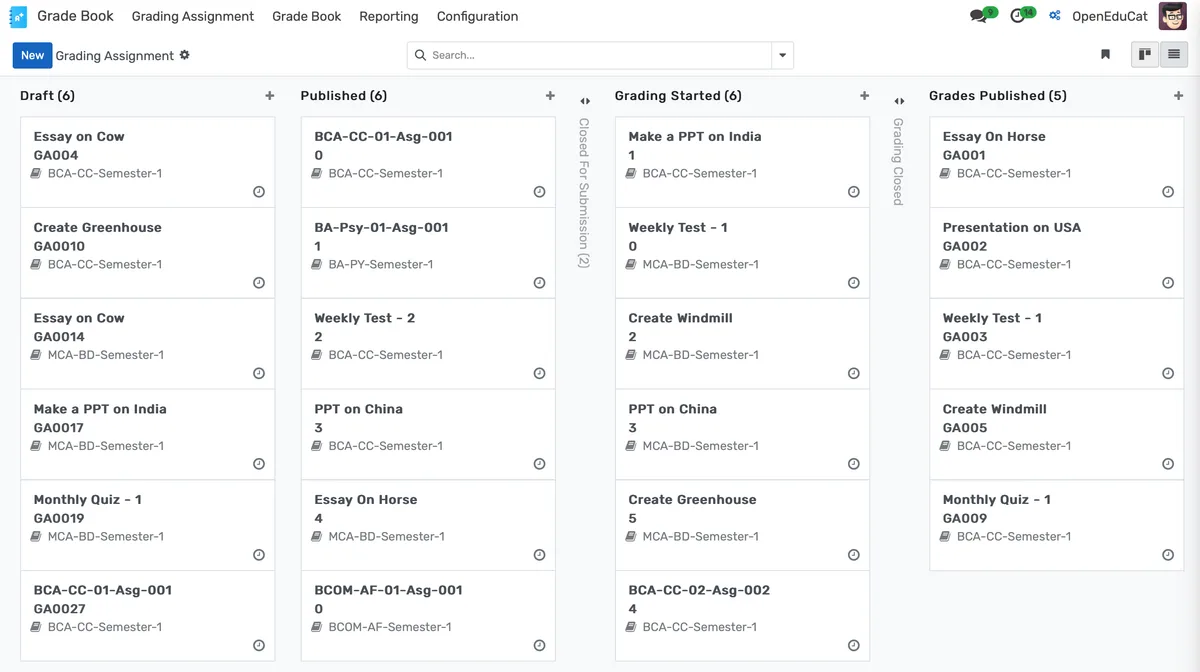
Weighted categories, GPA formulas, drop-lowest rules, and incomplete policies are configured once and applied consistently across every section and every faculty member.
- Define weighted grading categories (homework, quizzes, midterms, finals, participation) with percentage weights that calculate automatically as scores are entered
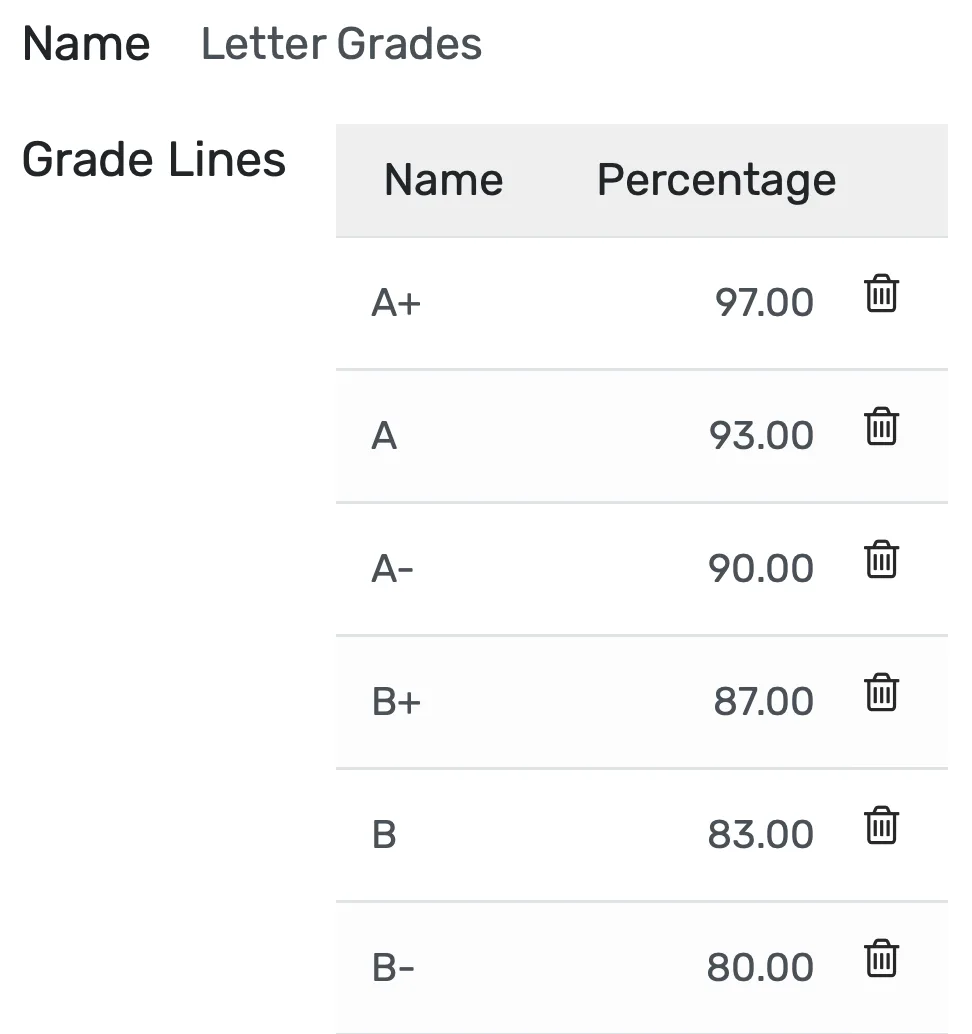
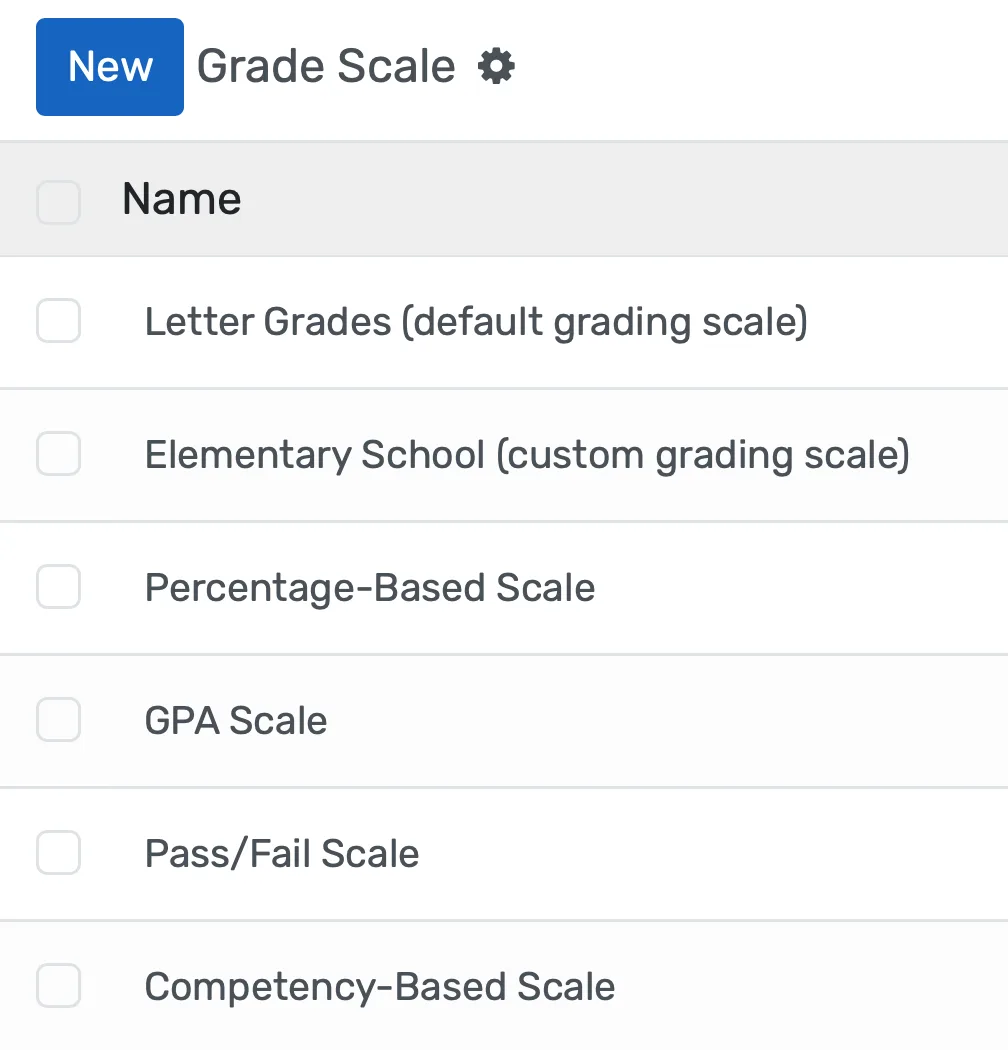
- Configure institution-wide grade scales mapping percentage ranges to letter grades and GPA points, with support for 4.0 GPA, 10-point CGPA, percentage-based, and custom scales running simultaneously
- Apply drop-lowest-score rules per category so the system excludes the weakest quiz or assignment before calculating averages, without faculty doing the math manually
Generate Report Cards and Transcripts for Thousands of Students in Minutes
Grade data flows into reports automatically. No copy-paste from spreadsheets, no mail merge templates, no version control nightmares.
- Produce report cards for an entire student body in under five minutes, pulling grades, attendance, teacher comments, GPA, and academic standing from the same database
- Generate official transcripts with cumulative GPA, credit hours, course grades, academic standing, and honors designations calculated from verified grade records. Not re-keyed from a separate spreadsheet
- Customize report templates to match your institution's branding, regulatory requirements, format preferences, and language without developer assistance
Give Parents and Advisors Real-Time Visibility Into Student Progress
Parents stop waiting six weeks for a report card. Advisors stop discovering struggling students after the withdrawal deadline.
- Parents view current grades through a secure portal as soon as teachers enter scores, with breakdowns by subject, category, and assignment
- Configurable alert thresholds notify advisors and parents when a student's grade drops below a level you define, C minus, D, or any custom threshold
- Grade trend visualizations show whether a student is improving, declining, or plateauing across the current term and previous terms
Gradebook and Grading System功能
有效管理gradebook and grading system所需的一切
Core Management
Essential gradebook and grading system management capabilities
Student Portal
Self-service portal for students to access information
Basic Reporting
Standard reports and data export functionality
Role-Based Access
Configure user permissions and access levels
Advanced Analytics
Detailed gradebook and grading system analytics with custom report builder and data visualization
Workflow Automation
Configure automated rules for approvals, notifications, and status transitions
Audit Trail
Complete audit logging of all gradebook and grading system activities for compliance and accountability
Priority Support
Dedicated support team with SLA-backed response times
常见问题
获取关于Gradebook and Grading System常见问题的解答
Yes. You define as many grading scales as your institution requires. An elementary school using S/N/U (Satisfactory, Needs Improvement, Unsatisfactory) can coexist with a middle school using A-F letter grades and a high school running weighted GPA with honors and AP multipliers. Each course links to the appropriate scale, and report cards pull the correct grade format automatically. There is no limit to the number of concurrent grading scales.
相关功能

Admission Management
Student registration software that handles online applications, automated reviews, merit lists, and enrollment conversion. Your admissions office processes more registrations with fewer staff hours and fewer errors.

Student Management
Student information system software that keeps every record (academics, health, contacts, documents) in one place. SIS for K-12 schools and universities that gives staff accurate student data instantly and makes reporting effortless.

Course Management
Effortlessly create, organize, and manage courses with a user-friendly platform that streamlines content delivery, tracks progress, and enhances the learning experience for students and educators.

Examination System
Schedule hundreds of exams across multiple rooms without conflicts, generate student hall tickets, and publish verified results in days providing exam controllers smooth logistics and registrars audit-ready records efficiently.

Faculty Management
Manage faculty profiles, balance workloads, coordinate substitutions, track credentials, and conduct performance reviews, freeing department heads from administrative tasks to focus on supporting and empowering teaching staff effectively.

Financial Management
Set up fee structures once, auto-generate invoices at enrollment, accept payments via cash, bank, or online gateways, apply discounts automatically, and reconcile seamlessly - speeding up book closure with fewer errors and calls.