
Assignment Annotation Software for Educational Institutions Benefits
Put Feedback on the Exact Sentence That Needs It
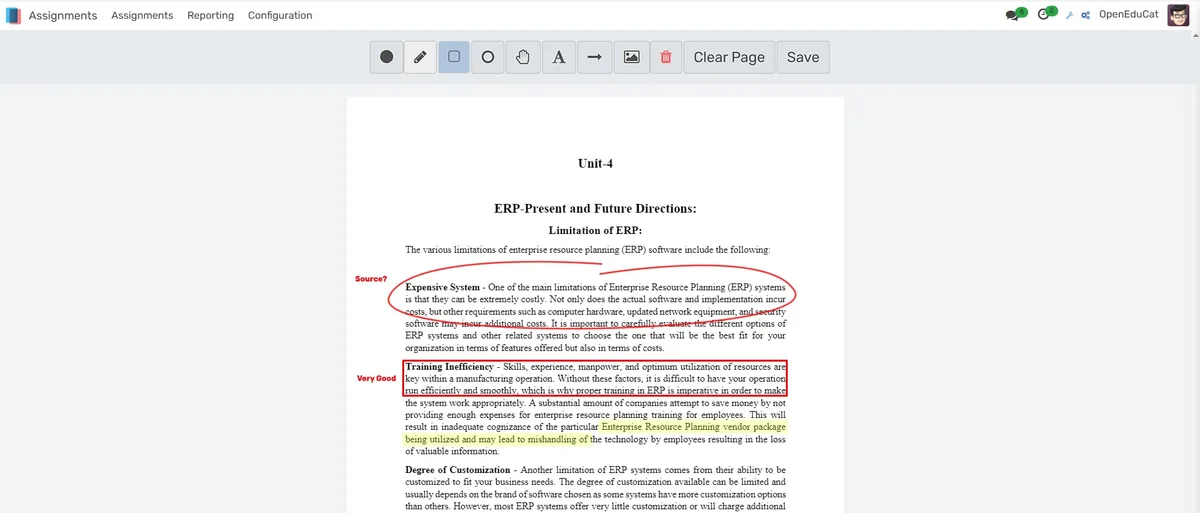
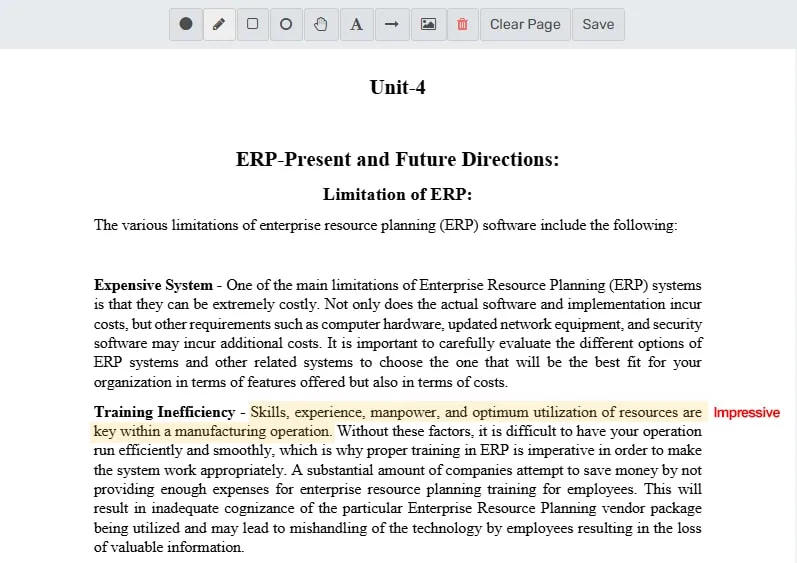
Generic margin notes like 'unclear' do not teach students what to fix. Anchored annotations show the student precisely which phrase, paragraph, or calculation triggered the comment, and why.
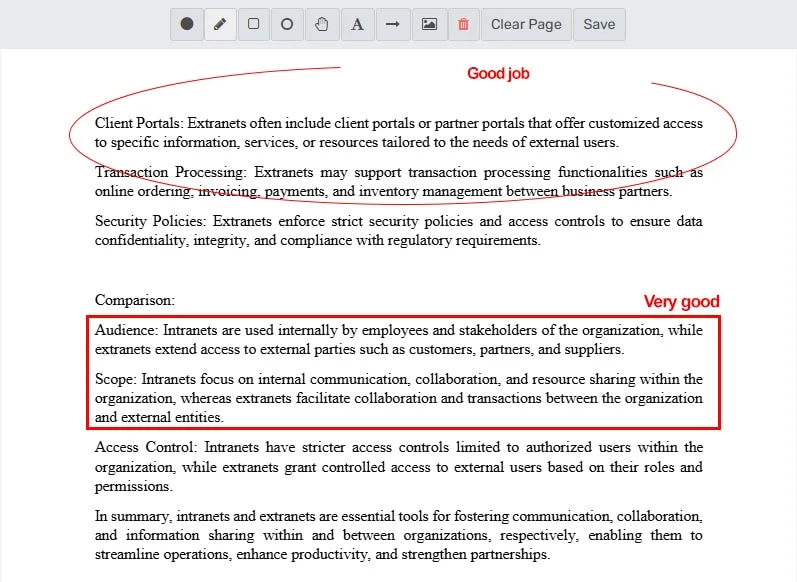
- Highlight text in multiple colors mapped to feedback categories: green for grammar, blue for content gaps, yellow for structural issues, red for factual errors
- Anchor inline comments to specific words, sentences, or regions so feedback never floats disconnected from the work
- Record voice comments up to 60 seconds for feedback that is easier to explain out loud than in writing, like tone or argument flow
Grade 90 Submissions Without Typing the Same Comment 90 Times
Faculty who teach large sections write identical feedback dozens of times per assignment. A comment library with keyboard shortcuts and reusable annotation sets turns repetitive typing into single-keystroke insertion.
- Build a personal comment bank organized by category (grammar, content, formatting, methodology) and insert any entry with a keyboard shortcut
- Save annotation sets (a full collection of marks on one submission) and apply them to other submissions that share the same issues
- Navigate through the submission queue without leaving the grading interface: next student, previous student, skip to flagged
Make Assessment Defensible With Rubric-Linked Scoring
When a student appeals a grade, the response should be traceable: this criterion, this score, this rubric descriptor, these three annotations on your work. Rubric-based grading with audit trails removes ambiguity from every evaluation.
- Attach rubrics directly to assignments with weighted criteria, point scales, and written performance descriptors for each level
- Link individual annotations to specific rubric criteria so students see exactly which feedback maps to which part of their score
- Run calibration exercises where multiple graders score the same submission before live grading begins, aligning standards across TAs
Assignment Annotation Software for Educational Institutions功能
有效管理assignment annotation software for educational institutions所需的一切
Core Management
Essential assignment annotation software for educational institutions management capabilities
Student Portal
Self-service portal for students to access information
Basic Reporting
Standard reports and data export functionality
Role-Based Access
Configure user permissions and access levels
Advanced Analytics
Detailed assignment annotation software for educational institutions analytics with custom report builder and data visualization
Workflow Automation
Configure automated rules for approvals, notifications, and status transitions
Audit Trail
Complete audit logging of all assignment annotation software for educational institutions activities for compliance and accountability
Priority Support
Dedicated support team with SLA-backed response times
常见问题
获取关于Assignment Annotation Software for Educational Institutions常见问题的解答
OpenEduCat's Assignment Annotation Software for Educational Institutions module is a complete system designed specifically for educational institutions. It integrates smoothly with the complete OpenEduCat ERP ecosystem, providing faster workflows, automated processes, and real-time analytics.
为您的机构类型量身打造
了解此功能如何适用于您的特定机构
集成、对比与工具
通过集成扩展Assignment Annotation Software for Educational Institutions,查看竞品对比,计算您的 ROI
相关功能

Admission Management
Student registration software that handles online applications, automated reviews, merit lists, and enrollment conversion. Your admissions office processes more registrations with fewer staff hours and fewer errors.

Student Management
Student information system software that keeps every record (academics, health, contacts, documents) in one place. SIS for K-12 schools and universities that gives staff accurate student data instantly and makes reporting effortless.

Course Management
Effortlessly create, organize, and manage courses with a user-friendly platform that streamlines content delivery, tracks progress, and enhances the learning experience for students and educators.

Financial Management
Set up fee structures once, auto-generate invoices at enrollment, accept payments via cash, bank, or online gateways, apply discounts automatically, and reconcile seamlessly - speeding up book closure with fewer errors and calls.

Examination System
Schedule hundreds of exams across multiple rooms without conflicts, generate student hall tickets, and publish verified results in days providing exam controllers smooth logistics and registrars audit-ready records efficiently.

Faculty Management
Manage faculty profiles, balance workloads, coordinate substitutions, track credentials, and conduct performance reviews, freeing department heads from administrative tasks to focus on supporting and empowering teaching staff effectively.
更多Strategic Capabilities功能
探索此类别中的其他功能